Fixing Metadata Bugs: How to Clean Up Duplicate Artist Profiles on Streaming Apps
You’ve spent months locking down the mix, getting the master to sit right, and putting together cover art that actually catches someone’s eye while they’re scrolling. The anticipation is building, and you’re ready to flip the switch on your next big release. But before you drop a single dollar on ad spend or start blasting your links out to playlists, I have to ask: have you actually looked at how your catalog looks on streaming apps right now?
Nothing kills your momentum faster than running a solid ad, only for an interested fan to click through and find their music split across three different artist profiles. Or worse, you find out your producer credits are completely missing, or your new single has been accidentally attached to a completely different artist who just happens to share your name.
Metadata bugs and duplicate profiles are the silent killers of independent music marketing. If your digital house isn’t in order before you start pushing traffic, you’re essentially paying to send your fans to a broken destination.
In this breakdown, we’re going to walk through how to audit your digital footprint, fix those messy merged or duplicate artist profiles on Spotify and Apple Music, and lock down your credits before your next release hits the wire.
The Real Cost of Messy Metadata in Independent Music
Most independent artists treat distribution as a “set it and forget it” kind of deal. You upload your audio, pick a release date, and hope for the best. But behind the scenes, Digital Service Providers (DSPs) like Spotify, Apple Music, and Tidal rely entirely on data strings—ISRCs, UPCs, artist IDs, and publishing metadata—to figure out where your music belongs.
When those data points get crossed, the system gets confused. Algorithms don’t know human nuance. If two artists upload music under the name “KIX” or “J-Wave,” automated systems will often just mash them together onto a single profile. If you’ve switched distributors over the years without properly linking your historical data, your old catalog might be sitting on a ghost profile while your new stuff goes somewhere else entirely.
When you launch a marketing campaign with broken metadata, you are burning your budget. A fan who clicks an ad wants instant gratification. If they hit a wall of confusion, they bounce. Fixing this isn’t just about looking neat and tidy; it’s about protecting your streams, your algorithm, and your hard-earned money.
Step 1: Audit Your Digital Footprint Across Every Major DSP
You can’t fix what you haven’t looked at. Before you talk to any support teams, you need to do a full reconnaissance mission across the major streaming platforms. Go directly into Spotify, Apple Music, Tidal, Amazon Music, and YouTube Music and search for your artist name as if you were a brand-new listener.
Keep an eye out for these classic red flags:
-
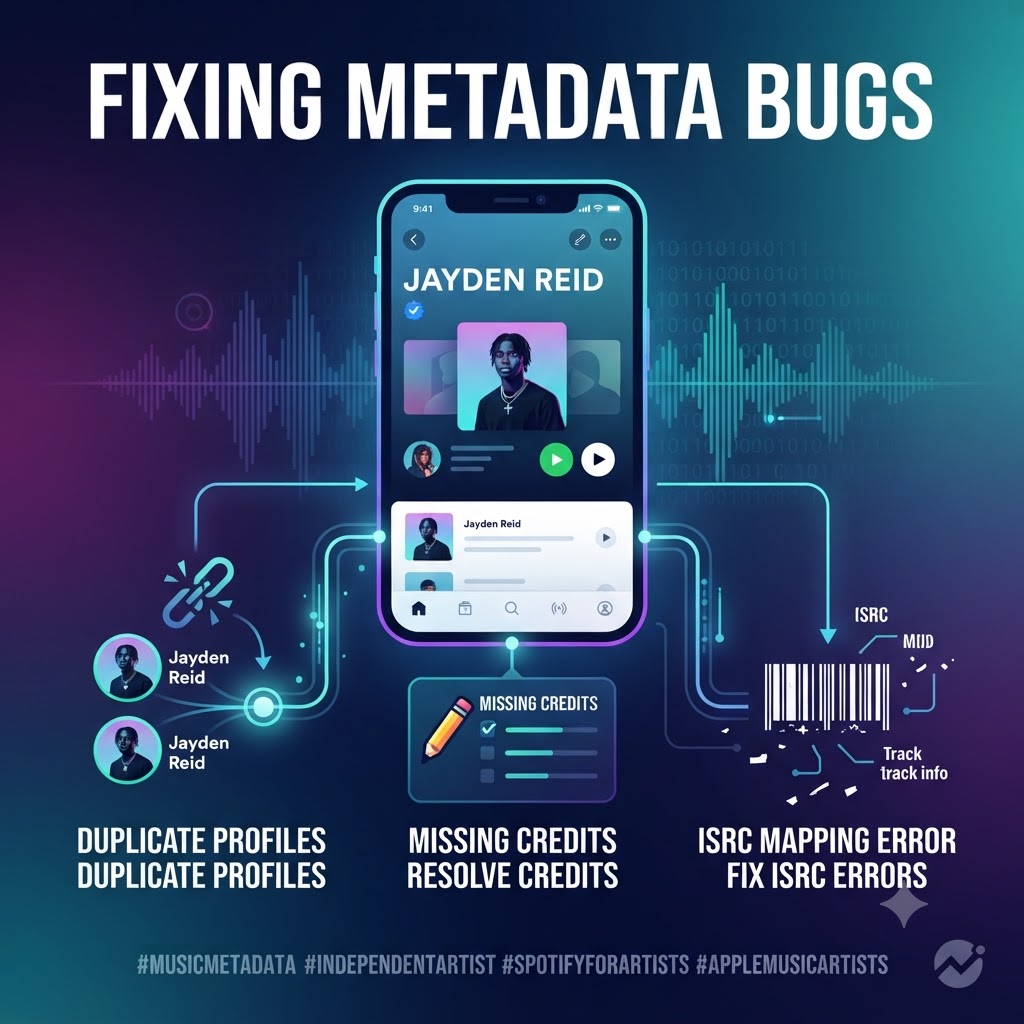
The Split Profile: Your catalog is fractured. Half your tracks are on one page, and your newer releases are sitting on another.
-
The Name Twin: You share a name with someone else, and your tracks are mingling with theirs, tanking your listener metrics and confusing your audience.
-
Ghost Credits: You produced or featured on a track, but your name is just plain text instead of a clickable link, meaning those streams aren’t routing back to your main profile page.
Open up a notes app and paste every single link, Spotify URI, and Apple Music ID that looks wrong. You are going to need these exact identifiers when you file support tickets later.
Step 2: How to Untangle and Fix Duplicate Spotify Profiles
Spotify is usually where most of these issues pop up because of the sheer volume of daily uploads. Fortunately, they have streamlined the fix process through Spotify for Artists, though it still requires a little bit of patience.
-
Log Into Your Dashboard: Head over to your Spotify for Artists account. If you are managing multiple split profiles, make sure you have access to the primary one you want to keep.
-
Contact Support: Navigate to the help section or use the direct support chat widget. You want to request an Artist Profile Merge.
-
Provide the Receipts: Support will ask you to specify which profile is the “master” (the one you want to keep) and which one needs to be absorbed. Paste the Spotify URIs for both.
-
Align Your Distributor: This is where a lot of artists mess up. Once Spotify merges your profiles, you need to make sure your current distributor (DistroKid, TuneCore, etc.) is using the correct Spotify Artist ID for all future uploads. If your distributor keeps sending metadata pointing to the old, unmerged profile, the bug will regenerate itself on your next release day.
Step 3: Straightening Out Apple Music and iTunes Duplicates
Apple Music handles things a bit differently, and because they still maintain the old iTunes library architecture underneath, matching issues can get weird.
-
Access Apple Music for Artists: Log into your dashboard and head to the support or contact section.
-
Submit a Separation/Merge Request: Explain clearly that your catalog has been incorrectly merged with another artist or split across multiple pages.
-
Verify Your Identity: Apple takes security seriously. They will likely ask you to link your official social media accounts, website, or provide matching ISRC codes to prove you actually own the music in question. Give them everything they need right out of the gate to avoid back-and-forth delays.
Step 4: Fixing ISRC Mapping and Missing Credits
Your ISRC (International Standard Recording Code) is essentially the social security number for your audio file. If a distributor accidentally recycles an old ISRC, or if a collaborator uploads a track without properly mapping your artist profile ID, your data gets completely warped.
-
Check Your Distributor Backstage: Log into your aggregator dashboard and review your catalog tab. Make sure every single track has a distinct, correct ISRC.
-
Claim Your Songwriter & Producer Credits: DSPs are putting a massive emphasis on songwriter and producer credits right now—especially with features like Spotify’s “Written By” playlists. Make sure your publishing admin or distributor submits your CAE/IPI numbers alongside your legal name for every release. If you produced a beat on someone else’s track, make sure your producer tag is backed up by proper metadata mapping so those monthly listeners actually flow back to your artist profile.
Before you clean up your distribution profile, then launch your rollout using our verified music submission portal (https://itshiphopmusic.com/submit/music-submission/?utm_source=gemini).
Step 5: Safeguarding Your Next Rollout From Future Bugs
Once you’ve put in the legwork to clean up your profile, you want to make sure you never have to deal with this headache again. Build these habits into your release checklist:
-
Use Direct Artist Mapping IDs: Almost every modern distributor lets you input your exact Spotify URI and Apple Music ID during the upload process. Use them religiously. It acts as a GPS coordinate for your audio files, telling the aggregator exactly where the music belongs.
-
Give It Time: Metadata updates don’t happen in five minutes. Depending on the DSP, it can take anywhere from a few days to a couple of weeks for databases to fully sync after a merge request. Do not launch your paid marketing campaigns until those changes are live and verified.
Wrapping It Up
Fixing your metadata isn’t the most glamorous part of being an independent artist. It doesn’t feel like creating music, and it doesn’t give you the instant dopamine hit of a viral TikTok video. But it is the foundational plumbing of your career.
When your metadata is clean, your streaming revenue goes where it’s supposed to, your algorithmic playlists like Discover Weekly actually target the right ears, and your fans never hit a dead end. Take an afternoon to audit your catalog today—your future self will thank you when your next rollout hits the ground running.
🛑 Ready to Push Your Track?
Ensure your artist profile is clean and ready for traffic. Submit your track through our Music Submission Form (https://itshiphopmusic.com/submit/music-submission/?utm_source=gemini).