How to Claim Your Pandora Artist Profile as an Independent Artist (Without Waiting on an Aggregator)
If you’ve ever released a song through DistroKid, TuneCore, CD Baby, or any other distributor, you probably know the drill. You hit submit, wait for your music to land on streaming platforms, and then get hit with the frustrating waiting game: waiting for distributors to auto-claim your artist profiles or send you a special access link.
With platforms like Spotify or Apple Music, claiming your page is usually straightforward. But Pandora? Pandora often feels like a black box.
A lot of independent artists assume they have to wait on their aggregator or music distributor to grant them access to their Pandora profile. Some think you can’t even claim a profile unless you’re signed to a major record label. That is completely false.
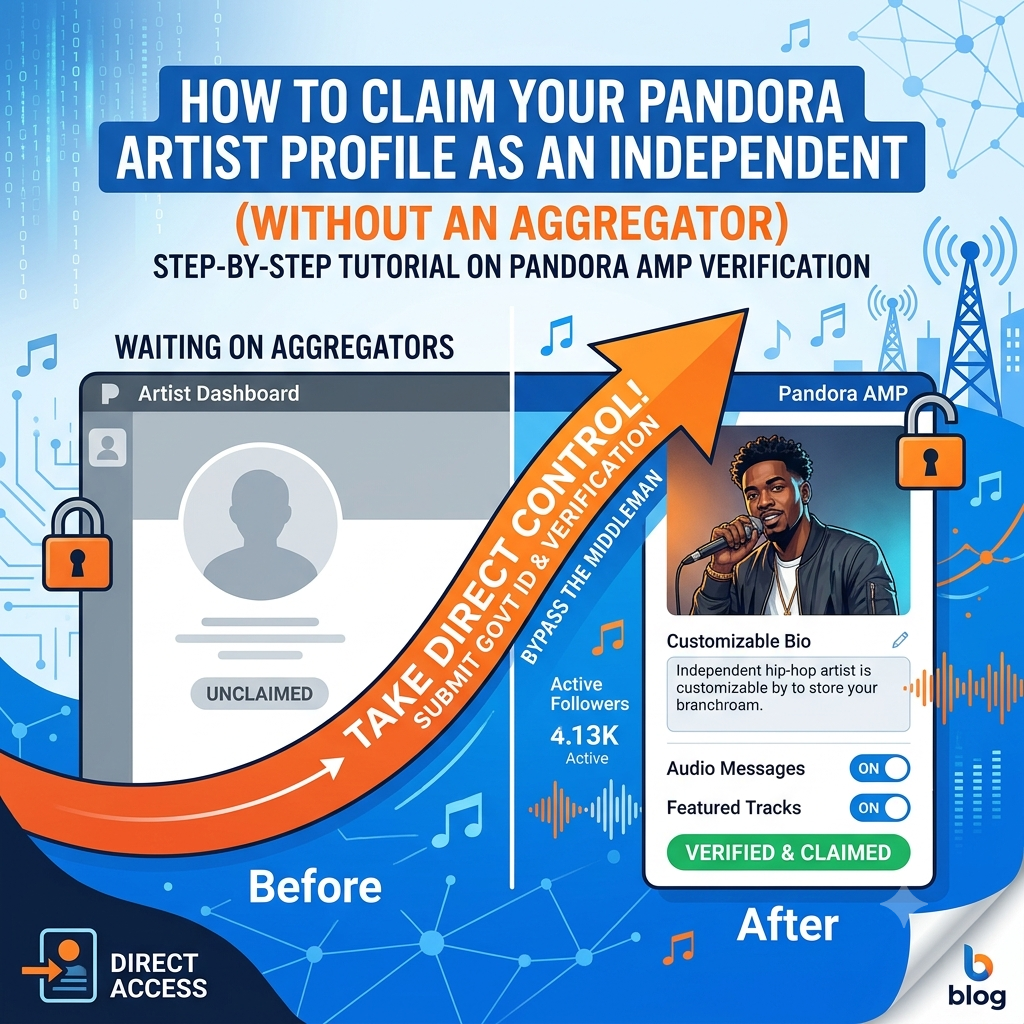
You can claim your Pandora artist profile yourself, directly through Pandora AMP (Artist Marketing Platform). All it takes is a direct application, a few minutes to submit identity verification, and zero reliance on a middleman.
Here is the straightforward, step-by-step guide on how to claim your Pandora artist profile as an independent musician—no aggregator required.
Why Is Pandora AMP Worth Your Time Anyway?
Before diving into the “how-to,” let’s talk about the “why.” In an era dominated by Spotify playlists and TikTok trends, it’s easy to overlook Pandora. But that’s a mistake—especially for independent acts looking to build a sustainable fan base in the United States.
Pandora operates on an algorithmic radio station model. When a user creates a “station” based on an established artist in your genre, Pandora’s Music Genome Project automatically drops similar indie tracks into the mix. Listeners on Pandora are lean-back discoverers—they put a station on while driving, working out, or working, and they give a “thumbs up” when a track hits right.
Claiming your profile on Pandora AMP unlocks tools that most casual independent artists don’t even know exist:
-
In-Depth Analytics: You get clear line-of-sight into performance metrics: total streams, station adds, monthly listeners, and thumbs-up counts. This data helps you figure out where your listeners actually live.
-
Artist Audio Messages: This is easily one of Pandora’s best built-in promotional tools. You can record short voice messages (15 to 30 seconds) in your own voice that play directly before or after your track streams. You can use these to introduce yourself, plug a brand-new single, or promote an upcoming tour.
-
Featured Tracks: Pandora AMP lets you run organic promotional pushes called “Featured Tracks.” This tells Pandora’s algorithm to prioritize putting your selected track into station rotation for targeted listeners.
-
Customization Control: You don’t have to settle for whatever low-res image your distributor scraped off your release cover. You can upload a high-quality artist headshot, craft a compelling bio, and link your official social channels.
What You Need Before You Start
Pandora manually reviews independent claim requests to avoid profile hijacking. To make sure your request gets approved on the first try without getting kicked back, gather these four simple items before opening the application:
-
A Standard Pandora User Account: You’ll need a free Pandora listener account. It’s best to sign up using the main contact email tied to your music brand (e.g.,
contact@yourmusicname.com). -
At Least One Live Track on Pandora: Your music must already be live on Pandora’s store front. It doesn’t matter who distributed it—as long as a track is live and playable on Pandora, an artist page exists in their system waiting to be claimed.
-
Active Social Media or Website Links: You’ll need working links to your Instagram, Facebook, X, or official website. Make sure these pages visibly showcase your music brand, artist name, and ideally contact info that matches your submission.
-
Government-Issued Verification (The Bypasser): Since you aren’t using an aggregator to auto-verify your identity, Pandora needs proof that you are who you say you are. A clean digital photo of your driver’s license, passport, or official legal documentation (like an LLC filing or copyright registration under your legal name) will act as your verification pass.
Step-by-Step: Claiming Your Profile Directly via Pandora AMP
Once you have your materials ready, the actual application process takes less than 10 minutes.
What Happens After You Submit?
Because you submitted direct identity verification, your application goes into Pandora’s manual support queue.
In most cases, the review process takes anywhere from 2 to 5 business days. You’ll get a confirmation email sent directly to the email address tied to your account as soon as access is granted.
Once you log into your new dashboard, set aside an hour to complete these quick optimization tasks:
-
Upload a Crisp Artist Photo: High-resolution vertical or square headshots work best. Avoid heavy text overlays on your main profile picture.
-
Write an Engaging Bio: Keep it punchy. Highlight your sub-genre, major influences, latest releases, and notable career achievements.
-
Record an Artist Audio Message: Pitch your latest single in 20 seconds. Keep it natural, casual, and energetic.
Beyond Pandora: Scaling Your Radio Reach
Claiming your Pandora profile gives you control over one of the largest digital radio footprints in North America, but serious independent artists shouldn’t stop there. Building a sustainable career means stacking your presence across internet radio stations, playlists, and sub-genre hubs.
For urban and hip-hop creators looking to break through the noise, pitching to curated indie outlets is key. You can expand your radio presence across alternative platforms with our specialized hip-hop music promotion portal to make sure your singles land in front of active tastemakers.
Taking control of your backend infrastructure—starting with your Pandora AMP profile—is what separates hobbyists from professional independent artists. Stop waiting on# How to Claim Your Pandora Artist Profile as an Independent Artist (Without Waiting on an Aggregator)
If you’ve ever released music through a distributor like DistroKid, TuneCore, or CD Baby, you’ve probably seen the option to “auto-claim” your profiles on platforms like Spotify and Apple Music. But when it comes to Pandora, things often fall through the cracks.
Most artists end up waiting weeks—sometimes months—hoping their distributor will magically connect their account to Pandora AMP (Artist Marketing Platform). Half the time, it doesn’t happen automatically, leaving your artist page looking like a ghost town with stock avatars, zero bio, and complete silence on your analytics.
Here’s the good news: You don’t need an aggregator, label, or middleman to claim your Pandora profile.
You can bypass the waiting game entirely by going straight through Pandora AMP and verifying your identity yourself. In this guide, we’ll break down the exact step-by-step process to get control of your page in just a few days.
Why Pandora AMP is Still a Big Deal for Independent Artists
It’s easy to get hyper-focused on Spotify playlists and Apple Music streams, but ignoring Pandora is a massive missed opportunity—especially in the U.S. market. Pandora operates primarily on radio-style algorithms, meaning listeners tune in to stations based on artists or genres they already like. If your track pops up on a station and gets a “thumb up,” Pandora serves it to even more people automatically.
Claiming your profile on Pandora AMP opens up access to features that most streaming platforms don’t offer:
-
Real-Time Data: Watch your station adds, total streams, and “thumbs up” counts update as listeners discover your tracks.
-
Artist Audio Messages: Record a short 15-second voice note directly on your phone and pin it to a release. When someone plays your song, your voice will drop in right before or after the track—perfect for introducing yourself or promoting an upcoming tour.
-
Pandora Stories: Combine voice tracks with curated playlists to tell the backstories behind your music, give commentary, or build context around an album drop.
-
Featured Tracks: Pitch your new music directly into Pandora’s recommendation engine to boost algorithmic station placement.
-
Complete Profile Control: Upload a high-res, professional header image, write a custom bio, and link out to your official channels.
What You Need Before You Start
Pandora manually reviews direct claims from independent artists to make sure imposter accounts don’t steal artist pages. Before you open the submission form, make sure you have these four items ready:
-
A Personal Pandora Account: Create a standard free listener account using the primary email address connected to your music business or website.
-
At Least One Live Track on Pandora: Your distributor must have already delivered your music to Pandora storefronts. If your first single hasn’t hit the platform yet, wait until release day before submitting a claim.
-
Active Social Media Channels: You will need links to your Instagram, X (Twitter), Facebook, or official website. The contact details on these profiles should match the name and email on your claim request.
-
Proof of Identity (Government ID or Legal Docs): Since you aren’t claiming through a major distributor portal, Pandora needs to verify that you are actually the rightsholder or an authorized manager. Have a photo of your driver’s license, passport, or business registration ready.
Step-by-Step Guide: Claiming Your Pandora Profile Directly
How Long Does Verification Take?
Because you are submitting identity docs directly instead of waiting on an automated API handshake from an aggregator, a human on Pandora’s artist relations team manually checks your submission.
Typically, approvals take 2 to 5 business days. You’ll receive an email notification as soon as your identity is confirmed, granting you full administrative control over your Pandora AMP dashboard.
What to Do Immediately After Approval:
-
Upload a Crisp Profile Picture: Make sure your main picture looks clean on both mobile screens and desktop apps.
-
Drop an Artist Audio Message: Hook your newest listeners with a quick greeting. Keep it under 15 seconds: “Hey, this is [Your Name], thanks for listening to my new track…”
-
Set Up a Featured Track Campaign: Select your strongest single to push it into similar station streams.
Building an audience on streaming platforms requires a multi-pronged approach. While optimizing your radio algorithms on Pandora is crucial, you should also expand your radio presence across alternative platforms with our specialized hip-hop music promotion portal to keep your momentum building across every front.
Common Pitfalls to Avoid
-
Failing the Social Match Test: If your social media handles use a totally different name than the artist name on Pandora, include a note or website link that clearly links both identities together.
-
Submitting Before Music is Live: Don’t try to claim your profile before your music drops. Pandora’s system can only create a searchable profile after content has ingested from a distributor.
-
Uploading Blurry ID Documents: Make sure all text on your driver’s license or passport is readable. Blurred images cause automatic rejections, forcing you to start the waiting period over again.
Put Your Music Brand in Front of Radio and DSP Listeners
Want to turn streaming listeners into dedicated fans? Take control of your release campaign and put your tracks directly in front of active curators and radio networks. Submit your music through our official Music Submission Portal today.