Every artist drops a new music video expecting the views to stack up, but here’s the brutal reality: getting someone to click on your thumbnail is only half the battle. The real hustle begins once the song starts playing. If a viewer watches your visualizer or official video and immediately leaves YouTube, you’re missing out on building a real fanbase. Worse, YouTube’s recommendation system notices that quick exit and quietly stops pushing your video to new listeners.
Keeping viewers inside your channel ecosystem is the foundation of long-term stream retention and subscriber growth. But when setup time comes inside YouTube Studio, artists face a common split-road decision regarding youtube cards vs end screens for musicians.
Do you drop interactive Info Cards throughout the video to cross-promote your catalog, or do you wait until the song wraps up and rely entirely on End Screens?
While both features exist to drive action, using them wrong—especially on music content—can wreck your audience retention. Let’s break down the mechanics, dissect viewer psychology, and look at why timing your calls-to-action correctly can convert casual listeners into long-term subscribers.
The Mobile Trap of Info Cards During Music Playback
YouTube Info Cards are those small, rectangular teaser bars that pop up in the top-right corner of the video player at specific timestamps. On paper, they sound like a great tool. A listener is enjoying your single, a teaser card pops up promoting your latest EP or merch store, and they click.
In practice, for music videos, mid-stream Info Cards do more harm than good. Here is why popping cards over your tracks usually backfires.
1. You Intercept the Emotional Momentum of the Track
Music isn’t an informational tutorial. When someone watches an instructional video on how to mix vocals, an Info Card popping up with a link to a plugin makes sense. The viewer is in a learning mindset.
Music, however, relies entirely on emotional immersion. The moment a bright white text banner slides across the screen during your guitar solo or hook, you pull the listener out of the music and force them into a visual scanning mindset. You’ve killed the vibe of your own song just to pitch another link.
2. High Bounce Rates on Mobile Devices
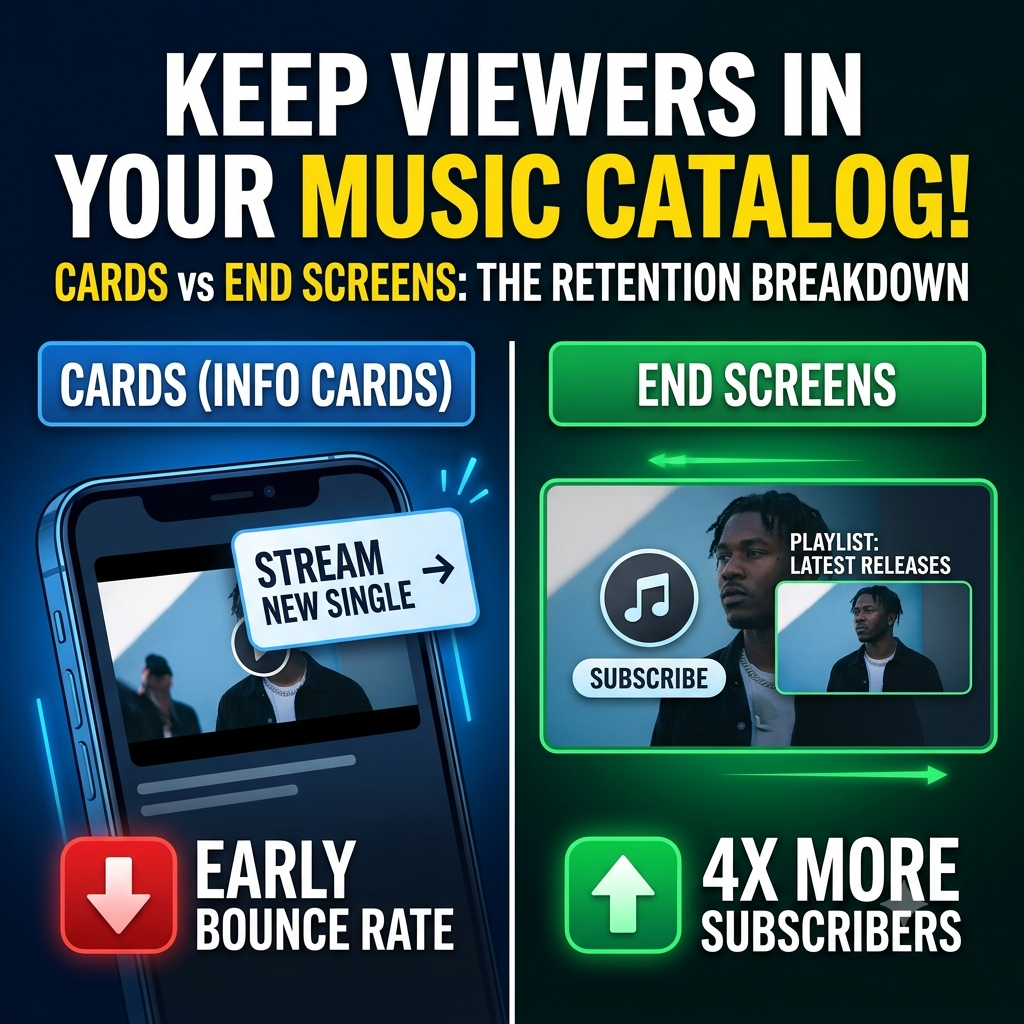
Over 70% of YouTube music streaming happens on mobile devices. When someone is listening to your track on their phone and an Info Card triggers, tapping that card immediately pauses or cuts off playback of the current video to open the new link.
From an algorithmic standpoint, this is a disaster. When a user abandons a music video 45 seconds in because they clicked your card, YouTube doesn’t reward you for keeping them on the platform. Instead, its algorithm registers that the user left your video early. The system logs a drop in audience retention, marks the video as less engaging, and reduces its placement across Suggested Videos and the Home Feed.
| Growth Metric | YouTube Info Cards | YouTube End Screens |
| Trigger Timing | Fixed timestamps during track playback | Final 5–20 seconds of video outro |
| Mobile UX | Disruptive pop-ups; risk of accidental taps | Seamless transition after track finishes |
| Algorithmic Risk | Drops average percentage viewed (APV) | Protects full-song watch time |
| Conversion Rate | Low (< 1% click-through) | Up to 4x baseline subscriber conversion |
Why End Screens Convert 4x More Subscribers
End Screens pop up during the final 5 to 20 seconds of your video upload. By holding off on your calls-to-action until the end of the song, you align your channel strategy with natural human behavior.
Capturing Peak Viewer Intent
When a listener sits through your entire music video, their interest level peaks right as the track fades out. They liked the sound, enjoyed the visuals, and stayed until the end. This is the exact moment they are most receptive to taking the next step—whether that means subscribing or moving straight into your next video.
Clean, Uncluttered Layouts Win
The mistake many independent artists make with End Screens is cluttering the frame with every possible option: social media handles, merch links, two different videos, a playlist, and a subscribe button.
Choice paralysis is real. When given too many options at once, viewers usually pick none and swipe away. An optimized music video End Screen keeps things simple with a max of two core elements:
-
Next Best Video or Dedicated Playlist: Choose “Best for Viewer” or lock in a custom playlist (e.g., Official Discography or Latest Music Videos).
-
Subscribe Button: A direct, high-visibility circular avatar link to your channel.
By stripping away mid-song interruptions and focusing your push into a clean 15-second outro frame, artists convert channel visitors into permanent subscribers with our hip-hop music video promotion campaigns.
Step-by-Step: Structuring Your Music Outros for Maximum Session Duration
If you want to turn standard uploads into continuous playback loops across your entire catalog, implement these three structural adjustments on your next drop:
-
Bake a Dedicated Outro Slate Into Your Edit: Don’t let End Screen elements block the visual climax of your music video. Add an extra 5 to 10 seconds of instrumental audio, a clean graphic background, or behind-the-scenes footage after the song ends. This gives your End Screen elements a dedicated space to live without covering up your main footage.
-
Push Playlists Instead of Single Tracks: Linking to an individual video is fine, but linking to a curated playlist creates an automated playback queue. When a viewer clicks your playlist link, YouTube automatically queues up your entire video catalog, dramatically increasing your total channel watch time per session.
-
Turn Off Mid-Song Cards Completely: Keep your music videos clear of text pop-ups while the song is playing. Save Info Cards strictly for non-musical content like podcast interviews, tour vlogs, or behind-the-scenes breakdowns where context calls for them.
Focus on keeping the music experience uninterrupted from start to finish. When you protect your audience retention metrics and guide viewers into a clean, targeted outro, YouTube rewards your channel with broader reach, stronger session duration, and steady subscriber growth.
Execute a High-Impact Drop Day Campaign
Ready to scale your views, build real authority, and maximize viewer retention across your entire release strategy?
Submit Your Music Video Link on Our Video Submission Platform