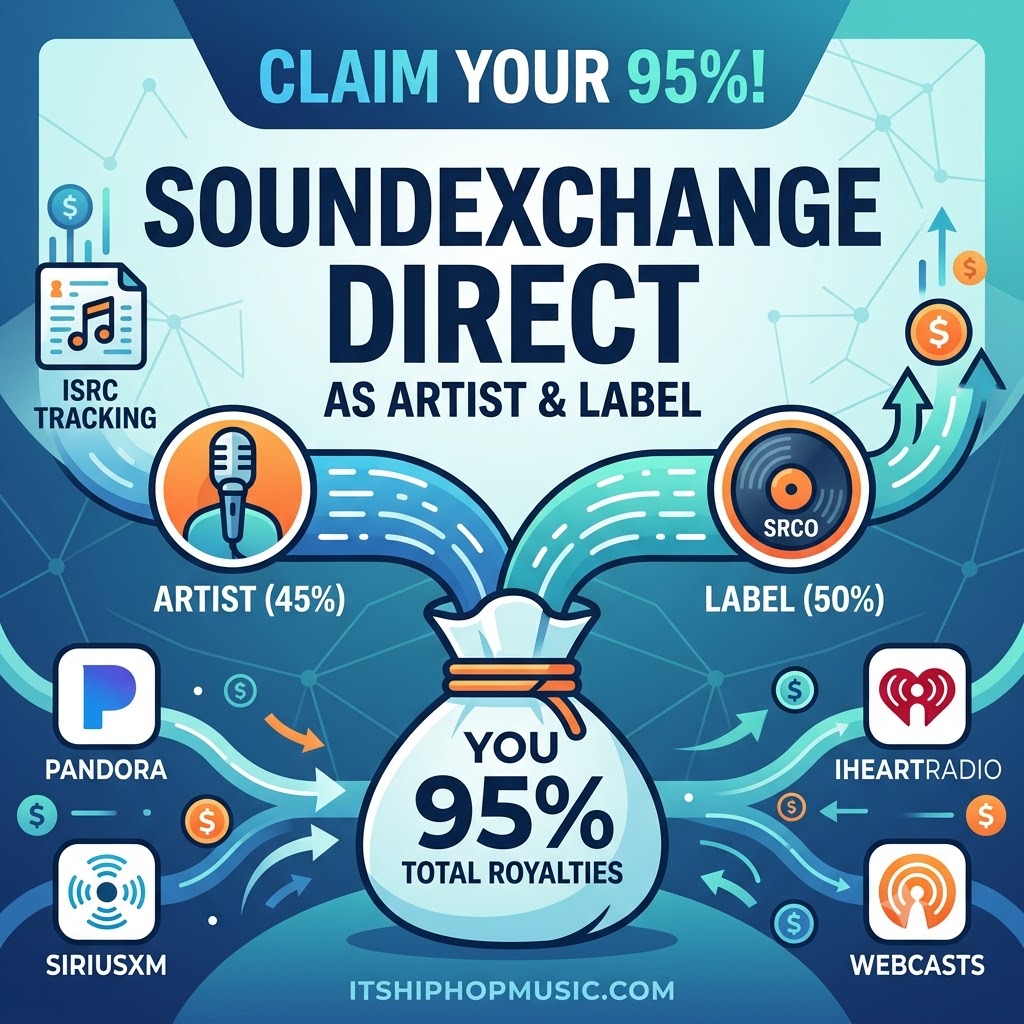
How to Register for SoundExchange as Artist and Label: Claim Your Full 95% Direct Royalties
If you are an independent musician releasing music without a major label backing you, there is a very good chance you are leaving money on the table every single month. Every time your song plays on digital radio platforms like Pandora, SiriusXM, iHeartRadio, or automated webcasters like Sonos, it generates digital performance royalties.
Many indie creators simply assume their digital distributor—whether that is DistroKid, TuneCore, CD Baby, or Landr—handles all of this behind the scenes. So, they sit back and wait for royalties to show up in their distribution dashboard.
Unfortunately, relying on a distributor to act as your payee for SoundExchange royalties can cause serious headaches. It leads to delayed payouts, unnecessary administrative fees, and in many cases, unclaimed money that gets lost in the system indefinitely.
If you want complete control over your music business, you need to understand how to register for SoundExchange as artist and label directly. Taking ownership of both registration roles ensures that 95% of your non-interactive digital performance royalties land straight into your bank account without an intermediary taking a cut.
Understanding How SoundExchange Royalties Actually Work
To understand why direct registration matters so much, you first have to look at how non-interactive digital royalties are legally split under U.S. copyright law.
Unlike mechanical royalties (which get paid when someone streams your track on Spotify or buys a physical copy) or performance royalties for compositions (collected by PROs like ASCAP or BMI), SoundExchange specifically handles the sound recording performance royalty.
Whenever a digital webcaster plays your master recording, SoundExchange collects that money and legally breaks it down into three distinct buckets:
-
50% goes to the Sound Recording Copyright Owner (SRCO): This is historically the record label, or in the case of an independent creator, the person or business that funded and owns the master recording.
-
45% goes to the Featured Artist: The primary artist or group named on the track release.
-
5% goes to Non-Featured Musicians and Vocalists: Backup singers, session players, and studio musicians, which gets routed through the AFM & SAG-AFTRA Intellectual Property Rights Distribution Fund.
Why You MUST Register as Both the Artist and the Label
Here is where most independent musicians run into a massive roadblock: If you self-fund and self-release your music, you are both the Featured Artist AND the Sound Recording Copyright Owner.
If you head over to SoundExchange and only sign up as a performing artist, you will only receive the 45% artist allocation. So what happens to the other 50%?
If you told your distributor during setup that they can collect your master royalties, they will claim that 50% Sound Recording Copyright Owner share on your behalf. They might hold onto it until you hit high withdrawal thresholds, process it slowly, or chop off a third-party administration commission fee.
Even worse, if neither you nor your distributor claims that 50% owner share, it sits in SoundExchange’s unclaimed pool for three years before being reallocated to other industry rights holders. You literally give away your hard-earned money to other artists.
By learning how to register for SoundExchange as artist and label on your own, you collect both the 45% artist share and the 50% copyright holder share. That adds up to 95% of all royalties collected, deposited directly into your bank account with zero middlemen taking a commission.
Step-by-Step: How to Register for SoundExchange as Artist and Label
Setting up your account correctly from day one isn’t complicated, but you need to be precise so you don’t accidentally delegate your payee rights to a third party.
Step 1: Head over to SXDirect
First, visit the official SoundExchange website and click on the Register link. You will be directed to SXDirect, which is the online portal where artists and rights owners manage their accounts and track submissions.
Step 2: Select BOTH Roles During Registration
This is the most critical step in the entire setup. When the system asks you to select your account type, do not select just “Artist.”
Select both of the following options:
-
Featured Artist
-
Rights Owner (Sound Recording Copyright Owner)
By checking both boxes, SoundExchange creates a unified profile that links both royalty streams to your tax information and bank details.
Step 3: Complete Identity & Tax Verification
To make sure you get paid without unexpected tax withholdings or processing errors, complete your profile thoroughly:
-
Input your Legal Name, official Business Entity (if you operating under an LLC or corporation), and your Social Security Number (SSN) or Employer Identification Number (EIN).
-
Fill out the electronic W-9 form (if you are based in the United States) or the appropriate W-8BEN form (if you are an international artist claiming tax treaty benefits).
-
Set up direct deposit / ACH payments. Direct deposit avoids paper check delays and lowers payment threshold requirements.
Step 4: Keep Yourself as the Designated Payee
Throughout the registration process, you may see prompts or questions asking if a distribution service, manager, or third-party company acts as your master royalty administrator.
If you want to keep all 95% of your royalties in-house, do not assign a distributor as your Letter of Direction (LOD) or payee. Assert yourself as the sole copyright holder and direct administrator for your catalog.
Step 5: Search, Upload, and Claim Your Catalog
Once SoundExchange reviews and approves your account application, log in to your SXDirect dashboard to claim your songs:
-
Navigate to the Releases or Search & Claim tab.
-
Search for your tracks using your ISRC codes (International Standard Recording Codes) or release UPCs.
-
Once your tracks appear, claim 100% of the Rights Owner share and 100% of the Featured Artist share for every song you fully own and performed on.
Why Managing SoundExchange Directly Changes the Game
Taking an extra twenty minutes to manage your own SoundExchange account gives you massive advantages over artists who leave everything on default settings with their distributor:
-
Zero Cut Taken: You get 95% of your money. No distributor takes a 10% to 20% admin fee off your non-interactive radio money.
-
Faster, Direct Payments: SoundExchange pays out royalties on a regular monthly schedule via direct deposit once you meet their minimal $10 threshold.
-
Complete Metadata Oversight: You get to see exact performance data, stream counts from digital radio, and match rates without relying on simplified distributor summary screens.
-
Back Pay Opportunities: SoundExchange can hold unclaimed funds for up to three years. If your music has been getting radio play on Pandora or SiriusXM while you weren’t properly registered, you might have a retroactive check waiting for you as soon as you claim your tracks.
Turn Your Royalties Into Future Growth
Getting your business foundation solid by collecting every penny you earn is what separates amateur musicians from true career artists. Once you take full control of your business structure and maximize your direct royalty collections, then reinvest in your career with our elite artist submission services.
🚀 Ready to Elevate Your Music Strategy?
Commit to the long-term growth of your music career today. Secure your brand’s future through our Artist Submission Services.