Everything You Need to Know About the Apple Music for Artists Bio Character Limit & Editorial Standards
If you’ve ever uploaded a song to Apple Music, logged into your artist dashboard, and tried typing out a bio, you’ve probably noticed something right away: Apple doesn’t treat artist profiles like standard social media pages.
Unlike platforms where you can paste sales pitches, drop links, and spam emojis, Apple Music enforces strict editorial standards. If your biography reads like an aggressive ad or violates their formatting guidelines, their review team will flag or reject it without hesitation.
Whether you’re setting up your profile for the first time or trying to clean up an outdated bio, understanding the Apple Music for Artists bio character limit, formatting rules, and verification workflow is crucial for building a professional DSP presence.
Let’s break down how Apple Music handles bios, how long your copy should actually be, and how to write text that passes review on the first try.
1. How Long Should Your Apple Music Bio Be? (Character Limit & Word Count)
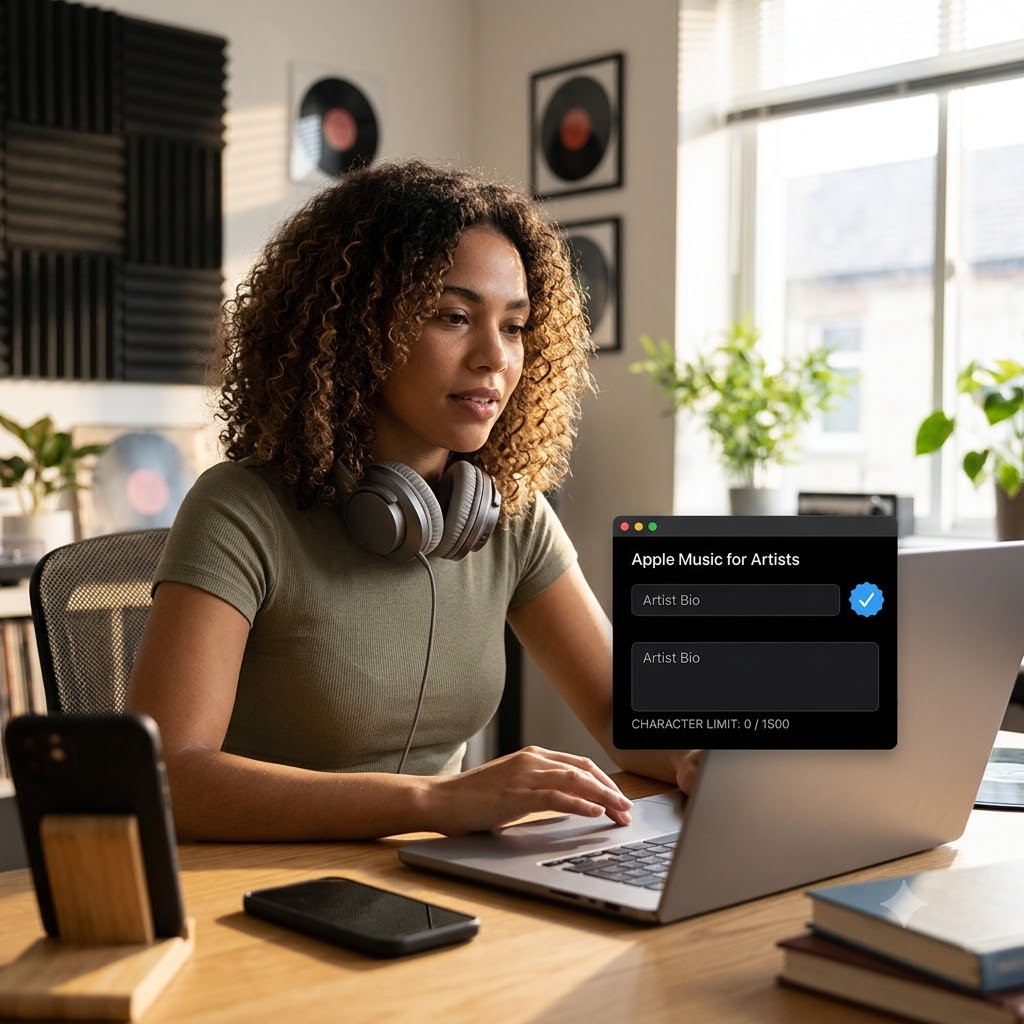
When artists ask about the Apple Music for Artists bio character limit, they are usually looking for a strict cutoff number. Apple’s official portal accepts submissions up to 4,000 characters (including spaces), which works out to roughly 600 to 700 words.
However, just because you have 4,000 characters available doesn’t mean you should use all of them.
Recommended Length vs. Maximum Limit
- Sweet Spot (Recommended): 150 to 300 words (approx. 1,000 to 2,000 characters).
- Maximum Safe Cap: 4,000 characters.
- Mobile Reality: Most Apple Music listeners tune in via mobile devices. Biographies that exceed 300 words often get truncated, forcing users to tap expandable menus that few people actually open.
If your bio is too long or filled with fluff, listeners tune out quickly. Keeping your write-up lean and engaging helps tell your story without overwhelming someone who just discovered your track.
2. Where Does Apple Music Get Your Bio Data?
To understand how bios work on Apple, you need to understand where the metadata comes from. Apple Music sources artist profiles through two distinct channels: Direct Artist Submissions and Third-Party Metadata Partners.
Channel A: Direct Submissions via Apple Music for Artists
Independent musicians can write and submit bios directly through the Apple Music for Artists website or iOS mobile app:
- Log into your verified account at
artists.apple.com. - Head over to the Artist Content section.
- Add or update your bio text and hit submit for manual review.
Channel B: Third-Party Metadata Aggregators (AllMusic / TiVo / Xperi)
Historically, Apple Music relied primarily on external databases like Xperi (AllMusic / Rovi) and TiVo to power artist biographies and album reviews across their system.
- If an official music reviewer at AllMusic has already written a formal biography for your project, Apple Music may default to displaying that editorial write-up over a manual submission.
- Having an active AllMusic entry builds long-term authority across search engines, Google Knowledge Panels, Spotify, and Tidal simultaneously.
Knowing this dual-source model helps explain why some bios appear automatically, while others require direct submission through your dashboard.
3. Editorial & Formatting Rules: What Gets Reapproved vs. Rejected
Apple maintains a human editorial review process. Every bio submitted through the dashboard is evaluated against strict editorial guidelines.
If your bio breaks any of the following rules, expect an immediate rejection notice:
The Third-Person Requirement
Your bio must be written in the third person.
- Allowed: “Alex Vance is an indie-electronic producer based in Brooklyn…”
- Prohibited: “I started making beats in my bedroom back in 2020…”
Writing in the third person keeps the platform’s copy consistent, encyclopedic, and journalistic across all artist pages.
Zero Links, Handles, or URLs
Do not include website links, social handles (@yourname), or promo URLs anywhere in the text box. Apple Music intentionally keeps user traffic inside their app ecosystem and blocks external links entirely.
Avoid Promotional Language & Marketing Pitching
Avoid phrases like:
- “Out now on all platforms!”
- “Stream my new album dropping this Friday!”
- “Buy tickets for the upcoming tour!”
Your bio is an encyclopedic background story, not an ad unit. Keep the tone timeless so it remains accurate regardless of when a fan reads it.
Clean Formatting Only
- No ALL CAPS shout-outs or aggressive typography.
- No Emojis or unconventional symbols (
🔥,💯,&). - No Press Releases pasted straight from your PR manager’s email blast.
4. How to Structure an Effective Apple Music Artist Bio
To help your bio pass inspection while keeping prospective fans engaged, follow a simple 4-part framework:
[ Hook: Sonic Identity & Origins ]
       ↓
[ Middle: Key Milestones & Collaborations ]
       ↓
[ Context: Creative Influences & Evolution ]
       ↓
[ Present Day: Current Musical Chapter ]
- The Hook (First 2 Sentences): Define your genre, geographic roots, and core sound identity right away.
- The Journey (Middle Paragraph): Highlight notable milestones—such as key festival appearances, notable co-signs, major sync placements, or breakout projects.
- The Current Chapter (Closing): Briefly describe your current creative direction or recent full-length releases without using time-sensitive language like “next week.”
5. Summary Cheat Sheet: Apple Music Bio Rules
| Guideline Category | Apple Music Requirement & Rule |
| Character Limit | Up to 4,000 characters (Ideal: 1,000–2,000 characters / 150–300 words) |
| Perspective | Third Person ONLY (He, She, They, The Band) |
| Allowed Links | None (No URLs, social handles, or website links) |
| Writing Style | Journalistic, objective, encyclopedic |
| Forbidden Elements | Emojis, ALL CAPS, press releases, time-sensitive promos |
| Submission Method | Apple Music for Artists Portal or AllMusic/TiVo Ingestion |
6. Take Your Streaming Presence Further
Getting your profile verified, setting up high-res artwork, and polishing your write-up to stay within the Apple Music for Artists bio character limit sets a clean foundation for your brand. But an optimized profile is only effective if listeners are actively landing on your page.
Once your profile is fully set up and cleared by Apple’s editorial team, you can build an authoritative digital presence across DSPs using our independent rap playlist campaigns.
🚀 Ready to Boost Your Streaming Metrics?
Place your polished catalog on active streaming lists. Schedule your push on the Music Submission Portal.