How to Make “Sloppy” Off-Grid Lo-Fi & Boom-Bap Beats (Unquantized Groove Guide)
Spend ten minutes scrolling through street dance battle clips on Instagram or TikTok right now, and you will notice something immediately. The stiff, hyper-quantized, click-track-accurate trap drums that ruled the last decade are taking a back seat. Poppers, lockers, and hip-hop freestylers are gravitating back toward dusty, lurching, almost-tripping-over-themselves beats that feel like they are melting out of the speakers.
That signature “drunken” bounce—made legendary by J Dilla, Madlib, and Flying Lotus—is having a massive moment in both underground dance circles and late-night chill streams. Yet when a lot of newer producers sit down to learn how to make off grid lofi hip hop beats, they end up with something that just sounds messy, amateur, or straight-up broken.
There is a razor-thin line between an intentional, neck-snapping pocket and a drum pattern that sounds like you fell asleep on your MIDI controller. Crossing that line in the right direction comes down to understanding why human timing feels so good—and knowing which rules you still have to keep intact so the groove doesn’t fall apart.
Why “Broken” Timing Actually Feels So Good
Think about the last time you watched a great live jazz or funk drummer. Even when they are locked into a deep groove, their kick, snare, and hi-hat never hit on the exact same microscopic slice of time. A real human body cannot move three limbs with robotic simultaneity, and our ears have evolved to love that slight friction.
When you quantize every drum hit to a rigid 16th-note grid in your DAW, two things happen:
-
You lose depth: Every transient stacks directly on top of the others, flattening the groove into a two-dimensional march.
-
You create ear fatigue: The human brain quickly predicts the exact millisecond every hit will land, which makes a four-bar loop feel repetitive within seconds.
When you turn off the grid and let elements rub against each other—a slightly rushed hi-hat pushing the tempo forward while a lazy snare pulls it backward—you create rhythmic tension. Dancers love this stuff because that tiny delay right before the snare hits gives them room to hang in the air before snapping into a move. Study listeners love it because the beat breathes like an actual room recording rather than a sterile computer program.
Step 1: Kill the Snap-to-Grid Shortcut
The first habit you need to break is letting your DAW auto-correct your ideas before you even hear them. Every major production environment has a fast way to turn off grid snapping so you can nudge MIDI notes and audio waveforms freely:
-
Ableton Live: Hit
Cmd + 4on Mac orCtrl + 4on Windows to shut the grid off completely. If you want to keep visual grid lines on screen while moving notes freely, hold downCmd(orCtrl) while dragging. -
FL Studio: Click the little horseshoe magnet icon in the top left of your Piano Roll or Playlist and switch it to (none). You can also hold
Altwhile dragging notes horizontally to bypass snapping on the fly. -
Logic Pro: Click the Snap dropdown menu at the top of your workspace and set it to Off, or hold
Control + Shiftwhile sliding MIDI events around. -
MPC & Hardware Samplers: Before you lay down a single pad hit, toggle Timing Correct (TC) off. If you are working on an SP-404MKII, leave quantization disabled when recording patterns so your finger-drumming stays raw.
Once the safety rails are off, resist the urge to start dragging every single note around at random. You need a plan.
Step 2: Anchor the One, Drag the Snare
The biggest rookie mistake in off-grid beatmaking is nudging everything off the beat. If your kick, snare, bassline, and chords are all floating in different directions with zero reference point, the listener’s brain loses track of where the bar starts. Instead of nodding their head, they just feel seasick.
To keep the groove grounded while still sounding loose, treat your drum kit like a push-and-pull tug of war:
-
Lock in Beat 1: Keep your very first kick drum right on the downbeat (or within 2 to 3 milliseconds of it). That opening thud tells dancers and listeners, “Here is the anchor.” Once people trust where the one is, you can get away with almost anything on beats two, three, and four.
-
Pull Your Snares Late: Highlight your main snares (or claps and rimshots) on Beats 2 and 4, and drag them 10 to 25 milliseconds to the right (late). Start around 12 ms and hit play. You will immediately feel the beat lean backward, almost like someone slouching into a leather couch.
-
Stumble Your Ghost Kicks: Leave your main downbeat kicks mostly intact, then take the smaller, syncopated “pickup” kicks—the double-taps right before a snare—and push them noticeably early or late. That subtle hesitation right before the snare cracks is the secret sauce behind classic Detroit and LA beat-scene swing.
Step 3: Ditch the Groove Pool and Play Your Hats Live
Most DAWs come loaded with swing presets and MPC groove templates. They are fine in a pinch, but mathematical swing applies the exact same percentage offset to every even-numbered 16th note. After eight bars, your ear figures out the pattern.
Instead of relying on a template, plug in a MIDI pad controller—or even just use your computer keyboard—and play your closed hi-hats in real time over your kick and snare loop. Don’t worry if your wrist tightens up halfway through bar three or if a couple of hits land slightly ahead of the beat. Play four or eight bars, pick the take that has the best natural sway, and leave the warts in.
If you have to draw your hats in with a mouse, focus on velocity just as much as timing. A real drummer never hits a hi-hat at the exact same volume eight times in a row. Drop every other hat down to a soft ghost tap (around velocity 40 to 60) while keeping the main pulse louder (around 95 to 110). Even if two hats are close to the grid, wild volume swings fool the ear into hearing human phrasing.
For extra width, layer a dusty shaker loop or an open hat underneath your main pattern and drag the entire audio clip 15 to 20 milliseconds late. Having a tight, slightly early closed hat rubbing against a lazy, late shaker creates instant texture.
Step 4: Leave Air at the Front of Your Sample Chops
In boom-bap and lo-fi hip-hop, your drums are only half the pocket. How you chop your soul, jazz, or Rhodes samples matters just as much.
Normally, when producers slice up a record, they zoom all the way in and trim the start marker right at the exact waveform transient so the chord fires the instant they press a pad. For an unquantized feel, do the opposite. Leave 5 to 15 milliseconds of dead air, room noise, or vinyl crackle before the actual note attacks.
When you finger-drum those chops over your beat, that tiny sliver of space delays the musical transient just enough to make your chords feel unhurried and soulful. It bridges the gap between your anchored kick drum and your dragged-back snare, gluing the entire instrumental together without a single compressor plugin.
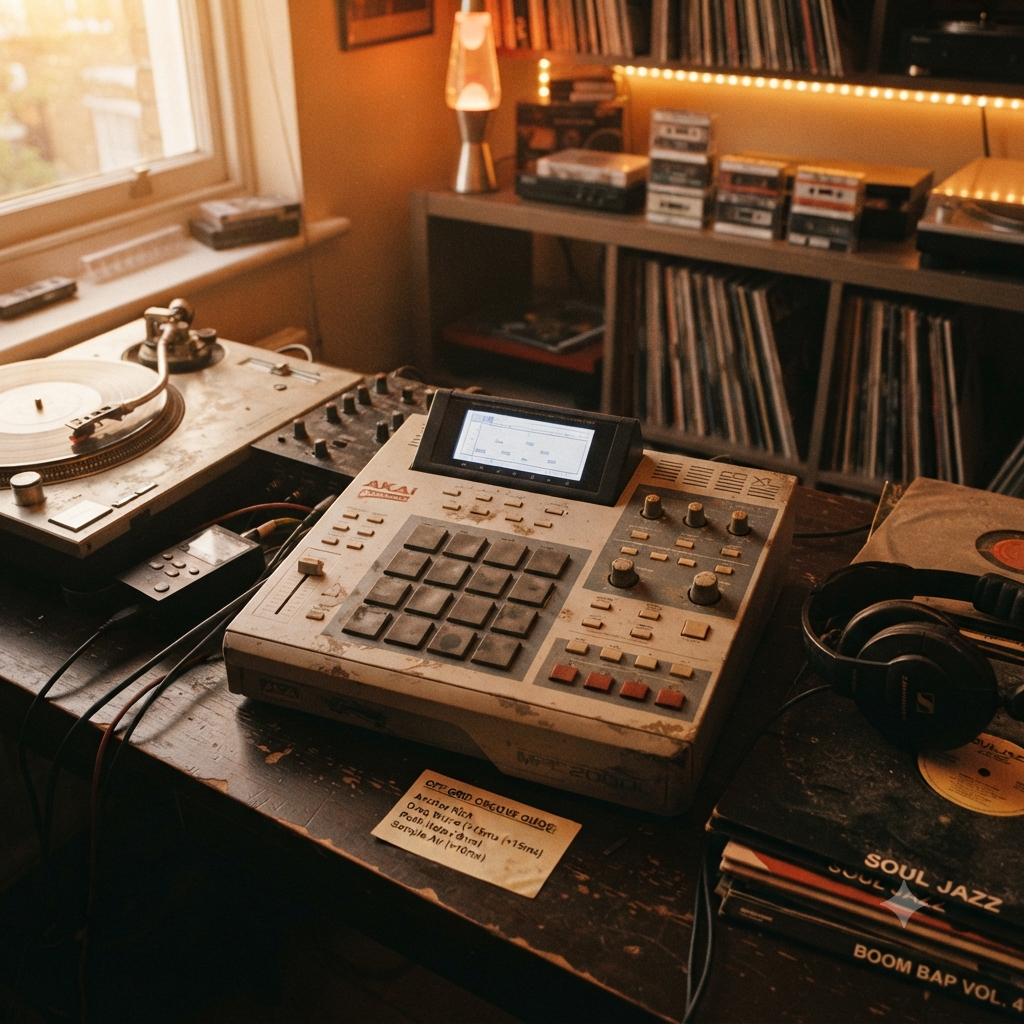
Quick Micro-Timing Cheat Sheet
If you are staring at your Piano Roll wondering how far is too far, use these millisecond ranges as a starting point and trust your neck over your eyes:
Getting Your Unquantized Beats Into Rotation
Making beats that feel alive is one thing; getting them in front of listeners who actually appreciate raw, unquantized swing is another. Algorithmic editorial feeds often favor loud, hyper-polished tracks, which is why independent curators, study-beat channels, and underground hip-hop communities remain the lifeblood of the lo-fi and boom-bap scenes.
Once your mix is warm, your low end is knocking, and your snare is sitting right in that sweet spot behind the beat, make sure you are pitching your catalog to curators who actively program raw instrumentals. You can place your unquantized lo-fi and boom-bap instrumentals on dedicated chill and study feeds with our hip-hop playlist networks.
Ready to get your beats heard?
Land your soulful, off-grid beats on high-retention lists. Submit your release to the Music Submission Portal.