Mixing Sliding 808s for NY & UK Drill: Keeping Sub-Bass Clean on Mobile Speakers
If you produce NY or UK drill, you already know the struggle. You spend three hours getting your sliding 808s to shake the walls in your studio, bounce the WAV, send it to your phone, and hit play—only to hear a weird, muffled clicking sound and zero bass.
Figuring out how to mix sliding 808s drill beats is one of the toughest hurdles in modern beatmaking. Unlike standard trap beats where an 808 mostly sits comfortably on a root note, drill basslines behave like a lead instrument. They jump two octaves in a fraction of a second, dive back down, and weave around frantic counter-snares. If your low-end isn’t disciplined, those rapid pitch bends turn into a muddy, phase-canceled mess that completely disappears on an iPhone speaker.
Here is a practical, step-by-step mixing workflow to lock in your glide envelopes, strip away 200Hz boxiness, and build upper harmonics so your drill slides hit just as hard on a phone speaker as they do in a club.
1. Fix Your Portamento & Glide Times Before Touching an EQ
Most producers try to fix a messy 808 with three EQs and a clipper. Truth is, if your sampler settings are sloppy, no plugin chain will save you. Before you reach for any effects, open your sampler (FL Studio’s Sampler, Ableton’s Simpler, or Kontakt) and tighten up the pitch behavior.
-
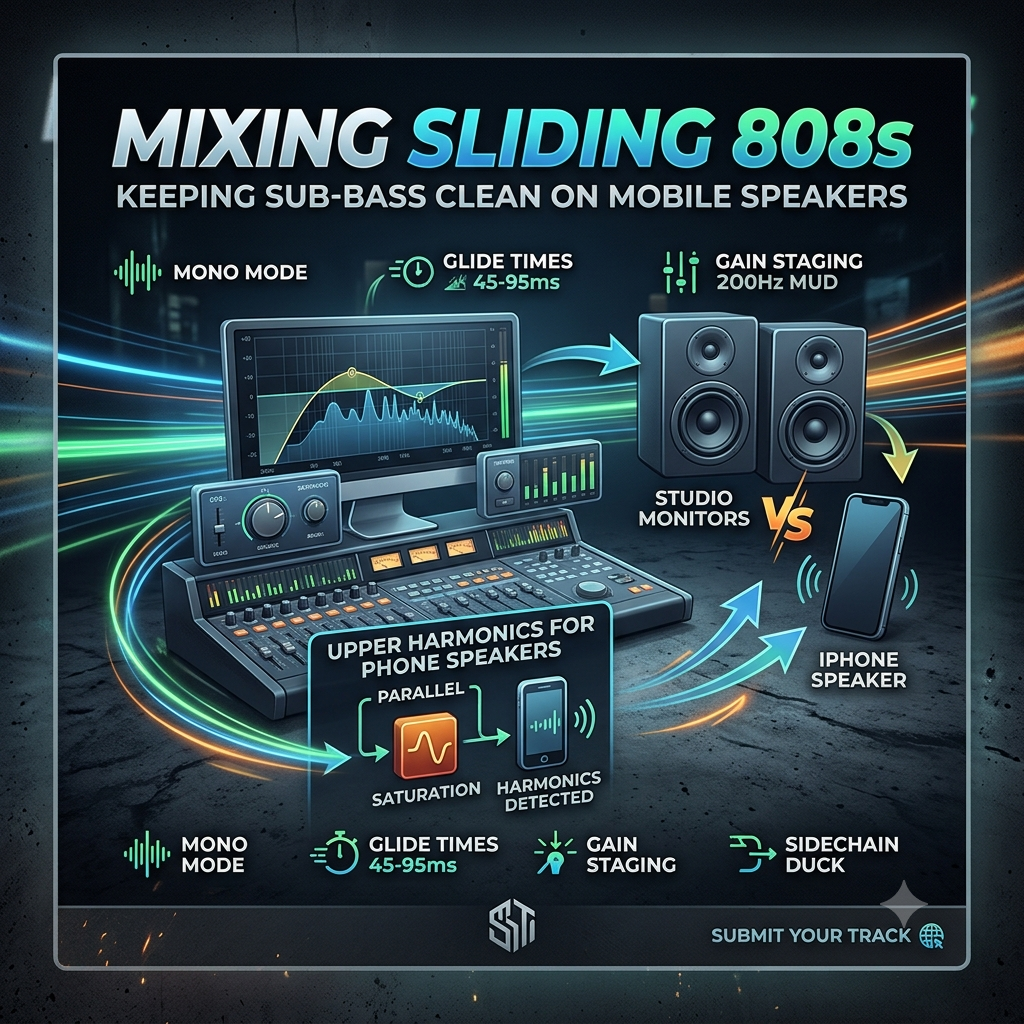
Turn on Mono / Legato Mode: Make sure your polyphony is set to 1 voice and Cut Self is enabled. When two 808 notes overlap during a fast octave jump, their sub-frequencies collide. That causes instant phase cancellation, eating up your headroom and making your bass sound randomly weak on certain hits.
-
Keep Glide Times Between 45ms and 95ms: For that signature Brooklyn or South London vocal-like pitch scoop, aim for 50ms to 75ms. If your glide time is slower than 110ms, fast triplet slides start dragging behind the groove and sound sluggish. Go faster than 30ms, and you lose the slide altogether—it just sounds like a choppy pitch step.
-
Tighten the Amp Envelope: Set your attack to 0ms–3ms (just enough to stop an annoying digital click if you don’t have a kick layered on top) and keep the release around 30ms–60ms. You want that sub tail to cut off cleanly the exact millisecond a new slide note triggers.
-
Keep High Octave Slides Short: When you glide from C2 all the way up to C4, your 808 isn’t a sub-bass anymore—it’s sitting right in the lower midrange. Keep those high-pitched slide notes short (usually 1/16th or 1/8th notes). Treat them like percussive accents rather than long, sustained notes that choke out your melody.
2. Carve Out 200Hz Mud with Dynamic EQ
Here is what actually happens inside your mix when an 808 slides up 12 or 24 semitones: its fundamental frequency leaves the clean sub territory (30Hz–60Hz) and shoots straight into the 150Hz–250Hz range. That exact frequency pocket is where boxiness, mud, and vocal masking live.
If you slap a regular static EQ cut at 200Hz, you’ll hollow out your 808 whenever it plays higher notes, making your slides sound thin and weak. The smarter move is using a Dynamic EQ (like FabFilter Pro-Q 3, Waves F6, or the free TDR Nova) so the cut only happens when it’s actually needed.
-
Find the Buildup: Loop the busiest 4-bar section of your 808 pattern and watch a spectrum analyzer around 180Hz–240Hz. Every time the bass glides up, you’ll see a sharp spike in energy.
-
Create a Dynamic Bell Band: Drop a medium-Q bell filter (set the Q between 2.0 and 3.0) right around 200Hz.
-
Dial in the Threshold and Range: Set the band to duck by -3dB to -5dB whenever the signal crosses your threshold. Use a fast attack (5ms–10ms) so it catches the slide immediately, and a medium release (50ms–80ms) so it recovers smoothly.
-
Why This Works: When your 808 is sitting low on its root note, the EQ isn’t doing anything at all—your sub stays untouched. The split-second a slide pushes nasty low-mid energy into the 200Hz zone, the dynamic band clamps down, leaving plenty of room for your snare, dark piano chops, and vocals.
3. Build Upper Harmonics for Smartphone Speakers
Let’s look at the physics of mobile playback: tiny smartphone speakers physically cannot reproduce frequencies below 100Hz to 150Hz. When you hear heavy bass on a phone, you aren’t actually hearing the sub-bass. You’re experiencing a psychoacoustic trick called the missing fundamental effect—your brain hears the 2nd, 3rd, and 4th harmonics in the midrange and fills in the missing low note automatically.
If your 808 is just a pure, clean sine wave, it will be completely silent on a phone. To make your slides translate without blowing out your low-end headroom, you need parallel or multiband saturation:
-
Split Your Frequency Bands: Load up a multiband saturator (FabFilter Saturn 2 works great, or you can route your 808 to a parallel mixer track with a high-pass filter before Soundtoys Decapitator). Keep everything below 120Hz 100% dry and clean. Distorting deep sub-bass just turns it into square-wave mush and kills your punch.
-
Saturate 250Hz to 1.5kHz: Push warm tube, tape, or soft-clipping distortion strictly onto the 250Hz–1.5kHz band. This generates rich harmonics that carry the pitch movement of your slides right through tiny phone speakers.
-
Lock the Low-End in Mono: Put a mid/side EQ or stereo imager at the end of your 808 chain and sum everything below 130Hz to dead mono. Sometimes drill producers like adding a touch of chorus or stereo widening to the upper harmonics (above 300Hz) to make the slides sound massive in headphones—that’s fine, as long as the sub stays centered.
-
Roll Off Harsh Highs: Heavy saturation on high octave slides can create an ugly, buzzy fizz up top. Slap a gentle 12dB/octave low-pass filter around 4.5kHz–6kHz so your distorted 808 doesn’t fight with your crisp drill hi-hats and percussive rimshots.
4. Gain Staging Your Drill Kick and 808
Even if your 808 saturation is dialed in, your master limiter will crush the whole beat if the kick and 808 fight for the exact same pocket. Before you export your track, run through these quick gain-staging benchmarks:
| Mix Element | Target Peak Level | Essential Processing Move |
| Drill Kick | -6dB to -8dB | High-pass at 30Hz; slight boost around 60Hz–80Hz for chest punch |
| Sliding 808 | -9dB to -11dB | Sidechain duck 2dB–3dB to the kick (keep release fast: ~40ms) |
| 808 Harmonics Bus | Blended by ear | High-pass wet signal at 200Hz; low-pass at 5kHz |
Once your levels are balanced, test your bounce on earpods, a car stereo, and your phone speaker at 50% volume. If you can clearly follow every single pitch glide on your phone without turning the volume all the way up, your mix is ready.
Following these steps will ensure your heavy drill low-end translates across mobile playback, then test it on active listeners via our curated rap playlists.
Ready to get heard?
Put your hard-hitting drill tracks into active streaming rotation. Submit your track on the Music Submission Page.