How to Use Parallel Compression for Aggressive, In-Your-Face Rap Vocals
If you are trying to get your rap vocals to slice through a heavy trap beat or a gritty boom-bap instrumental, standard mixing tricks often fall short. You pull down the fader, you add a regular compressor, and suddenly the vocal sounds lifeless, pinched, and buried behind the 808s. You push it up, and it’s way too loud, swallowing up the rest of the beat.
It is a frustrating balancing act that every indie hip-hop artist and bedroom engineer has run into.
The secret weapon that separates muddy, amateur vocal mixes from the massive, radio-ready records you hear on streaming platforms isn’t magic—it is parallel compression.
In this deep-dive guide, we are going to break down exactly how to use parallel compression to give your rap vocals that aggressive, in-your-face, bulletproof density without losing their natural vibe.
What Exactly is Parallel Compression?
Before we open up the DAW, let’s clear up what parallel compression actually means.
Back in the analog days, engineers used to split a track into two different channels (hence, “parallel”). One channel stayed completely clean, dynamic, and untouched. The other channel got completely destroyed by a heavy-handed compressor. When you blend that heavily crushed signal underneath your clean vocal, you get the best of both worlds:
-
The Dry Vocal: Keeps the emotional delivery, natural transients, and human dynamics alive.
-
The Crushed Parallel Track: Fills in the gaps, adds insane body, creates natural sustain, and makes the vocal sound thick enough to punch through concrete.
Instead of fighting your beat, your vocal starts sitting on top of it with total authority.
The Step-by-Step Tutorial: Building Your Vocal Crush Bus
Let’s walk through how to set this up right inside your DAW (whether you are using Pro Tools, Ableton Live, FL Studio, or Logic Pro).
Step 1: Create a Dedicated Auxiliary Track
Don’t just slap a compressor on your main vocal channel and mess with the mix knob. True parallel compression shines when it has its own dedicated real estate.
-
Create a brand new stereo Auxiliary track (or Return track, depending on your workflow).
-
Name it something distinct so you don’t lose track of it—like “Vocal Parallel” or “Crush Bus.”
Step 2: Load Up a Fast, Character-Driven Compressor
You don’t want a clean, transparent, boring digital compressor for this. You want something with attitude. Grab a compressor known for fast clamping and rich harmonic distortion:
-
An 1176 style compressor (the industry gold standard for rap vocals due to its lightning-fast attack).
-
A Soundtoys Devil-Loc or Distressor if you want to push things into raw, gritty, over-driven territory.
Step 3: Go Extreme with the Settings (All-Buttons-In Mode)
Forget about subtle, transparent compression here. We are going for broke.
-
Set your compressor ratio as high as it will go. If you are using an 1176 emulation, engage “All-Buttons-In” mode (often called British mode), where buttons 1 through 4 are pressed down simultaneously. This creates an intense, pumping, glue-like saturation.
-
Set your Attack time to its absolute fastest setting so it clamps down on the very front edge of your words.
-
Set your Release time to fast so the compressor aggressively pumps and breathes right along with the bounce of your flow.
-
Dial in the input gain until the needle is practically pinned and you are getting massive gain reduction (we are talking 15 to 25 dB of reduction easily).
Step 4: Route Your Dry Vocal to the Bus
Send 100% of your dry lead vocal signal over to your newly created “Vocal Parallel” Aux track at unity gain (0 dB).
Make sure the compressor plugin itself is set to 100% wet. At this stage, if you soloed that Aux track by itself, it should sound terrible, hyper-compressed, and maybe even a bit distorted. Good. That means you are doing it right.
Step 5: Slowly Blend and Balance
Now comes the fun part. Mute the parallel track, press play on your track, and listen to your main dry vocal.
Slowly bring the fader of your parallel track up from infinity. You aren’t trying to make this track louder than your main vocal. You just want to sneak it up underneath until you feel a sudden shift in weight.
Suddenly, your vocal stops sounding thin. It pops forward, every syllable articulates clearly, and it cuts straight through the mix without needing to ride the master volume fader like crazy.
Common Mistakes to Avoid
Even with a solid tutorial, it’s easy to fall into a few common traps when first experimenting with parallel compression:
-
Over-cluttering with Reverb and Delay: Make sure your parallel bus is receiving the dry vocal before heavy spatial effects, or you’ll just end up crushing your reverbs and turning your mix into a wash of mud.
-
Pushing the Fader Too High: Less is usually more. If your vocal starts sounding harsh, phasey, or overly digital, pull that parallel fader down a few dBs. It should feel like a natural extension of the vocal, not an obvious effect.
-
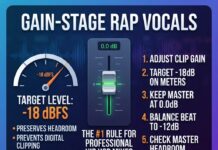
Ignoring Gain Staging: Keep an eye on your master output. Adding a heavy parallel track will boost your overall volume significantly, so make sure you balance your levels so you aren’t slamming your mix bus limiter into oblivion.
Take Your Independent Hip Hop Career to the Next Level
Mastering technical mixing skills like parallel compression takes time, patience, and a lot of late nights staring at a screen. But once you get your vocal chain hitting right, your music starts feeling genuinely competitive against major-label releases.
Of course, once you get the mix sounding pristine, the next hurdle is getting industry professionals to actually listen to it and give you honest, constructive feedback.
If you want to know how your latest tracks stack up against current industry standards, make sure your aggressive vocal mixes get the analytical respect they deserve on our music review submission page.
Ready for an Objective Breakdown of Your Project?
Stop guessing whether your mix is hitting hard enough or if your vocals are sitting right in the beat. Let people who live and breathe the culture take a listen.
its HIP HOP music stands proudly as one of the best indie hip hop blogs dedicated to unearthing raw talent, breaking new records, and giving independent artists a legitimate platform to be heard.
Are you ready for an objective breakdown of your latest project? Submit your track via our Music Review Page for just a $20 one-time payment, and let’s get your music reviewed and pushed out to the world today!