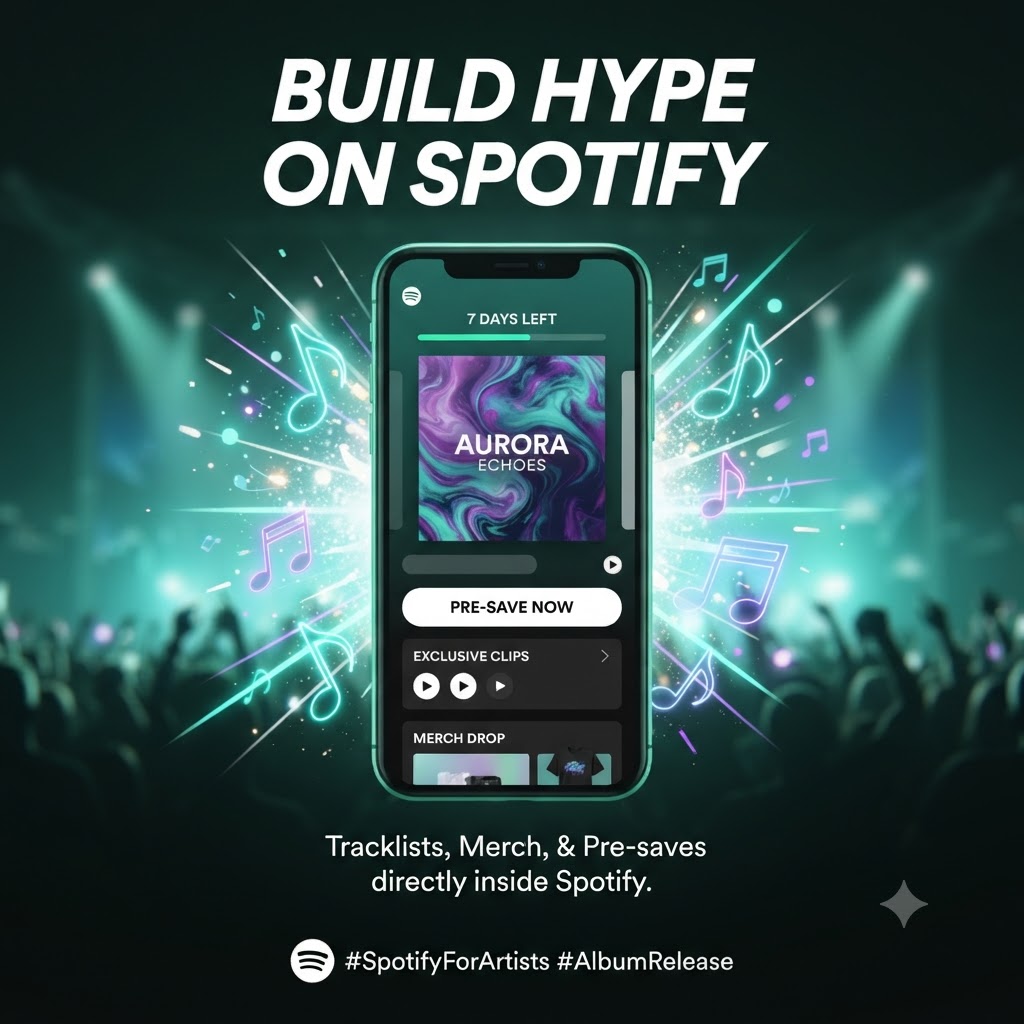
How to Use Spotify “Countdown Pages” to Build Genuine Album Hype
For a long time, the “pre-save link” has been the go-to move for music promotion. But let’s be honest: they’re starting to feel a bit clunky. They force fans to jump off the app where they’re actually listening to music, which creates friction and inevitably leads to drop-offs.
If you want to keep your fans engaged, it’s time to lean into Spotify Countdown Pages.
This feature keeps everything native to the app, turning listeners into active participants without ever making them leave their listening session. If you want to move beyond basic links and create a real, immersive experience for your next release, here is how you can use these pages to build genuine hype.
What Exactly Is a Countdown Page?
Think of your Countdown Page as your album’s dedicated landing zone inside Spotify. It’s a central hub where your fans can get a sneak peek at what you’ve been working on.
Instead of just clicking a button on a third-party site, fans can:
-
Pre-save the album so it hits their library the moment it goes live.
-
Check out the tracklist early.
-
Watch exclusive “Clips” to get a feel for the vibe behind the music.
-
Browse and snag merch without needing to switch apps.
-
Track the release with a live countdown timer.
The best part? It works. It bridges the gap between casual listening and serious fandom, keeping your audience locked in right where the music happens.
Setting It Up
If you’ve got at least 5,000 monthly listeners and you’re dropping a new album or EP, you should see this option in your dashboard. (Keep in mind, it’s currently only for full projects, not single tracks).
-
Head to Spotify for Artists: Log in via your web dashboard.
-
Go to ‘Upcoming’: Navigate to the Music tab, then hit the Upcoming sub-tab.
-
Start Your Page: Select the album you’re working on and hit “Get started.”
-
Add Your Flair: This is where you upload your Clips and tag your merchandise. Make it look like you.
-
Hit Publish: Once it’s live, Spotify does the heavy lifting, surfacing it on your profile and even in the “Now Playing” view for your fans.
A Few Ways to Actually Move the Needle
1. Make It Your Top Priority
Once your countdown page is live, drive massive traffic to your profile by utilizing our established Artist Pick feature. When you pin your Countdown Page to the top of your profile, you’re making sure that every single person who clicks on your name sees the project immediately. Don’t let it get buried.
2. Use “Clips” to Tell Your Story
Don’t treat your page like a static billboard. Use “Clips” to show the real process—the late nights in the studio, the meaning behind a specific lyric, or just a quick teaser of the artwork. When people get a peek behind the curtain, they’re way more likely to stick around for release day.
3. Bring the Traffic Home
Even though it lives in Spotify, you still need to bridge the gap from your socials. Post the link to your countdown page everywhere. Because it keeps the experience inside the app, your fans are going to have a much easier time clicking “pre-save” compared to navigating a messy third-party site.
Turn Profile Visitors into Day-One Listeners
Successful launches aren’t just about the music dropping at midnight; they’re about building a narrative that makes your fans feel like they’re part of the process. By gathering your pre-saves, merch, and behind-the-scenes content into one spot, you’re creating the kind of momentum that actually catches the algorithm’s eye.