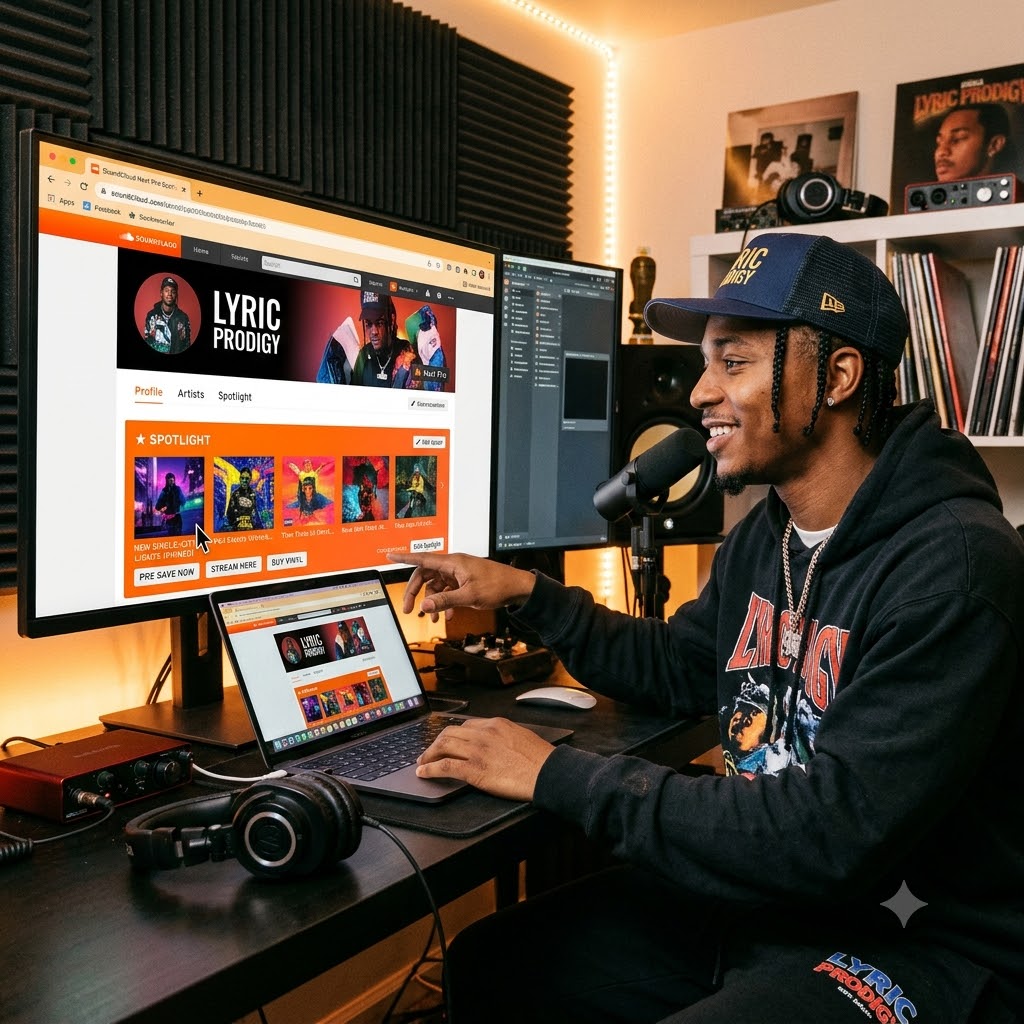
How to Use SoundCloud “Next Pro” Spotlight to Turn Profile Visits into Songs Streams and Sales
If you check your SoundCloud stats right now, you might see a decent trickle of plays. People click on your profile, listen to a track for maybe ten seconds, and then click away.
That is one of the biggest leaks in an artist’s promotional setup.
Most independent artists let their SoundCloud profile run on autopilot. When an A&R, a blog curator, or a casual listener stumbles onto your page, they usually see a messy timeline. It’s a mix of beat uploads, random reposts from friends, old voice memos, and a track you dropped two years ago that doesn’t represent your sound anymore.
Your profile shouldn’t just be an audio dump. It needs to work like a landing page.
If you use SoundCloud Next Pro, you have access to a tool called Spotlight. When set up right, Spotlight lets you control exactly what people hear the second they land on your page. Here is a practical walkthrough on how to pin your singles, tease unreleased music, and turn quick visits into real fans and sales.
What Is SoundCloud Spotlight (and Why Should You Care)?
SoundCloud Spotlight gives you the ability to pin up to 5 tracks or playlists right at the top of your profile. These pinned items sit completely separate from your main public upload feed, hovering above your chronological stream.
Think about how people browse music today. Attention spans are short. When someone lands on your page, you have roughly five seconds to convince them to hit play.
If your best song is buried five tracks down beneath three reposts, most people will leave before they ever hit play. Spotlight removes that friction by putting your best work front and center.
How to Set Up Your Spotlight Header (Step-by-Step)
Setting this up only takes a few minutes, but doing it strategically makes all the difference.
Step 1: Head to Your Profile Settings
-
Log into SoundCloud on a desktop browser (the full mobile web app works too, but desktop gives you better control over metadata).
-
Make sure your Next Pro account is active.
-
Go directly to your main artist profile.
-
Click the “Edit” button right below your header banner, or select “Spotlight” from your profile management bar.
Step 2: Lock In Your #1 Focus Single
Your top pinned slot is the most important piece of real estate on your page. Do not fill this space with a track you released on a whim three months ago. Use it for your active focus item:
-
If you just dropped a single: Pin it here immediately.
-
If you’ve got an upcoming drop: Pin a 30-to-45-second high-energy teaser snippet and name it clearly so people know it’s coming soon.
Step 3: Turn Listeners into Clicks with Custom Links
Pinning a song is only half the job. You also want that listener to take action off SoundCloud, whether that means saving the track on Spotify or buying a physical copy.
-
Click Edit Track on your pinned single.
-
Go straight to the Metadata tab.
-
Look for the Buy/Stream Link field.
-
Paste your target destination URL. This could be your SmartURL/Feature.fm link, Spotify pre-save, Bandcamp store, or merch shop.
-
Change the Buy Link text. By default, SoundCloud displays “Buy.” Change this to something relevant like Pre-Save Now, Stream Everywhere, Get Vinyl, or Grab Tickets.
How to Map Out All 5 Pinned Slots
You don’t always need to use all 5 slots. Having two or three ultra-focused tracks is often better than throwing five random songs up there. But if you want to build a complete showcase, here is a layout that works exceptionally well:
| Slot Position | Goal | What to Put There | What You Want Them to Do |
| Slot 1 | Current Campaign | Unreleased Teaser or Brand New Lead Single | Pre-save or stream on main platforms |
| Slot 2 | Highest Social Proof | Your most popular song or biggest collaboration | Build instant credibility with high play counts |
| Slot 3 | Project Focus | Full Album or EP Playlist | Get listeners to dive deeper into your catalog |
| Slot 4 | Lifestyle / Merch | Single tied to a tour or merch drop | Click through to buy tickets or apparel |
| Slot 5 | Community | A curated playlist of tracks you love or feature on | Build relationships with other artists |
3 Real-World Strategies for Independent Artists
1. The Pre-Release Teaser Strategy
Don’t wait until release day to build hype. Upload a short snippet of your upcoming song a week or two early. Set the track’s metadata link to your Spotify or Apple Music pre-save page, and pin it to Slot 1. When people land on your page after hearing a clip on TikTok or Instagram, they immediately find the full audio preview and a direct link to pre-save it.
2. The Direct-to-Fan Merch & Ticket Funnel
If you’re pressing physical vinyl, dropping limited streetwear, or playing a local show, use Spotlight to drive sales. Pin the flagship track from that project, change the buy button label to “Get Merch” or “Get Tickets”, and point the URL directly to your Shopify or ticketing platform. Fans get to stream the music while looking at what you have for sale.
3. Scaling Real Traffic to an Optimized Profile
An optimized profile only works if you have consistent traffic coming in. Once your header looks clean and your outgoing links are working, you need a steady stream of real listeners visiting your page. You can turn profile visits into permanent streaming loyalty by scaling your audience through our hip-hop music promotion network. When high-intent hip-hop fans land on a well-structured page, your conversion rates for plays, reposts, and external link clicks shoot up dramatically.
🚀 Ready to Take Your Next Release Seriously?
Deliver maximum visibility to your flagship releases. Submit your track on the Music Submission Page and let’s get your music in front of the right audience!
Quick Checklist Before You Launch Your Next Campaign
Before you blast out your profile link on social media, run through this quick sanity check:
-
[ ] Is your Next Pro subscription active? (Spotlight features require Next Pro).
-
[ ] Is your artwork high-resolution? Pinned tracks take up a large visual space on desktop view. Make sure the artwork isn’t pixelated.
-
[ ] Did you test your external links on mobile? Open your profile on your phone and tap the custom action button to verify it opens the correct pre-save or store page.
-
[ ] Is your button text clear? Avoid generic text. Use clear action phrases like Stream on Spotify, Pre-Save, or Buy Vinyl.
-
[ ] Are your pinned tracks current? Get into the habit of updating your Spotlight every month so returning fans always see fresh content.
Building a lasting career in music comes down to making the most of every impression you get. By taking ten minutes to set up SoundCloud Spotlight properly, you turn a simple stream into an active gateway for your entire music business.