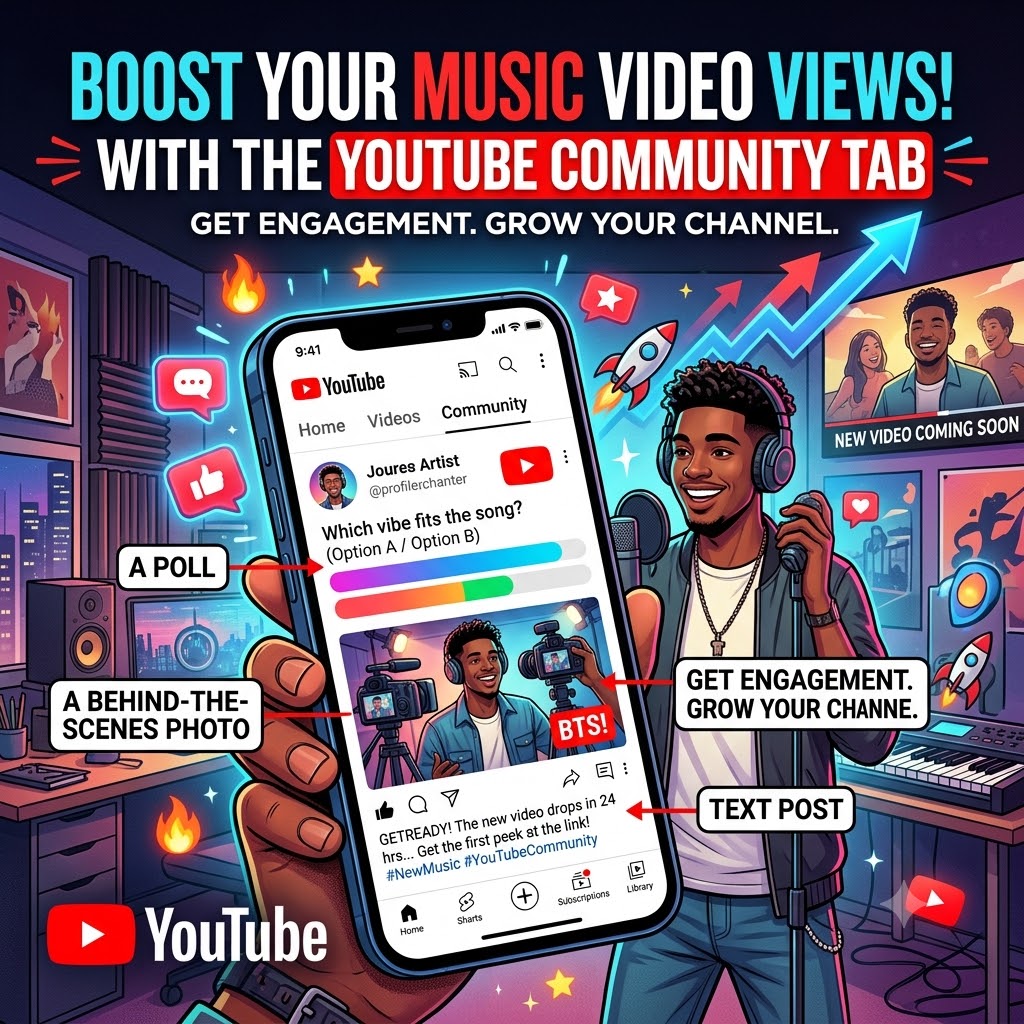
How to Use the YouTube “Community” Tab to Push Your Music Video Views
For a lot of independent artists, the YouTube algorithm feels like a black box. You spend weeks on production, stress over the edit, and finally upload your masterpiece—only for it to sit there.
If you’re ignoring the YouTube Community Tab, you’re missing out on the easiest way to give your channel a pulse.
The Community Tab isn’t just for saying “hey, check this out.” It’s a tool to get your subscribers interacting with you before you even drop a link. When you keep your audience active on your channel, you’re basically “warming up” the algorithm. By the time you post your new video, YouTube already sees that your channel is a hub of activity, making your next drop perform way better.
Here is how you can use the tab to stop screaming into the void and actually get your videos in front of more people.
1. Use Polls to Build Hype
Polls are the ultimate “low-friction” engagement hack. They’re easy for fans to click, and YouTube loves them because they keep people on your page.
The Strategy: Don’t just use them for fun—use them to involve fans in the rollout.
-
The “Art” Poll: Show two different versions of your cover art or a set of photos. Ask, “Which vibe fits the track better?”
-
The “Lyrics” Poll: Drop a snippet of your favorite bar and ask, “Does this line hit, or should I have kept it in the vault?”
-
The Real Hack: Once the poll has been live for a day or two, reply to it with the link to the full video. Since people have already interacted with you, they’re way more likely to actually click the link when they see it.
2. Share Raw, Behind-the-Scenes Content
Fans aren’t just looking for a polished music video—they want to see the person behind the music. High-gloss videos are great, but raw, unfiltered BTS photos are what actually make people comment.
The Strategy: Post a quick shot from the video set or even a messy screenshot of your DAW session.
-
Keep it Casual: Don’t write a press release. Write like you’re talking to a friend: “This shot took us three hours to get right in the rain. Was it worth it?”
-
The Why: Every comment you get on a photo helps your channel’s “Dwell Time.” When YouTube sees people hanging out on your page, it starts suggesting your latest video to more people in the sidebar.
3. Use Text Posts to Create “The Drop”
Stop just dumping a link and walking away. Use text posts to build up to a moment. You want to create a sense of urgency.
The Strategy:
-
The “Why”: Tell a 30-second story about what the song means to you. People connect with the struggle or the inspiration behind the track way more than a generic “Out Now” post.
-
The Teaser: Drop a 5-second loop of the best part of the video with a “Coming in 24 hours” note.
-
The Reminder: Always remember that engaging your subscribers on the community tab keeps your channel warm, making your next video twice as effective.
The Bottom Line: Keep the Channel “Warm”
YouTube wants to promote channels that keep people engaged. By using the Community Tab for polls, BTS, and real conversation, you aren’t just looking for clicks—you’re building a community that actually watches what you put out. When you treat your channel like a living page rather than just a storage folder for your videos, the algorithm is going to reward you by putting your content in front of more eyes.
Ready to get your music in front of more eyes?
Don’t just hope for the algorithm to pick you up—give your channel the extra push it needs. If you’re looking to get your latest visual project in front of a dedicated audience, we can help.