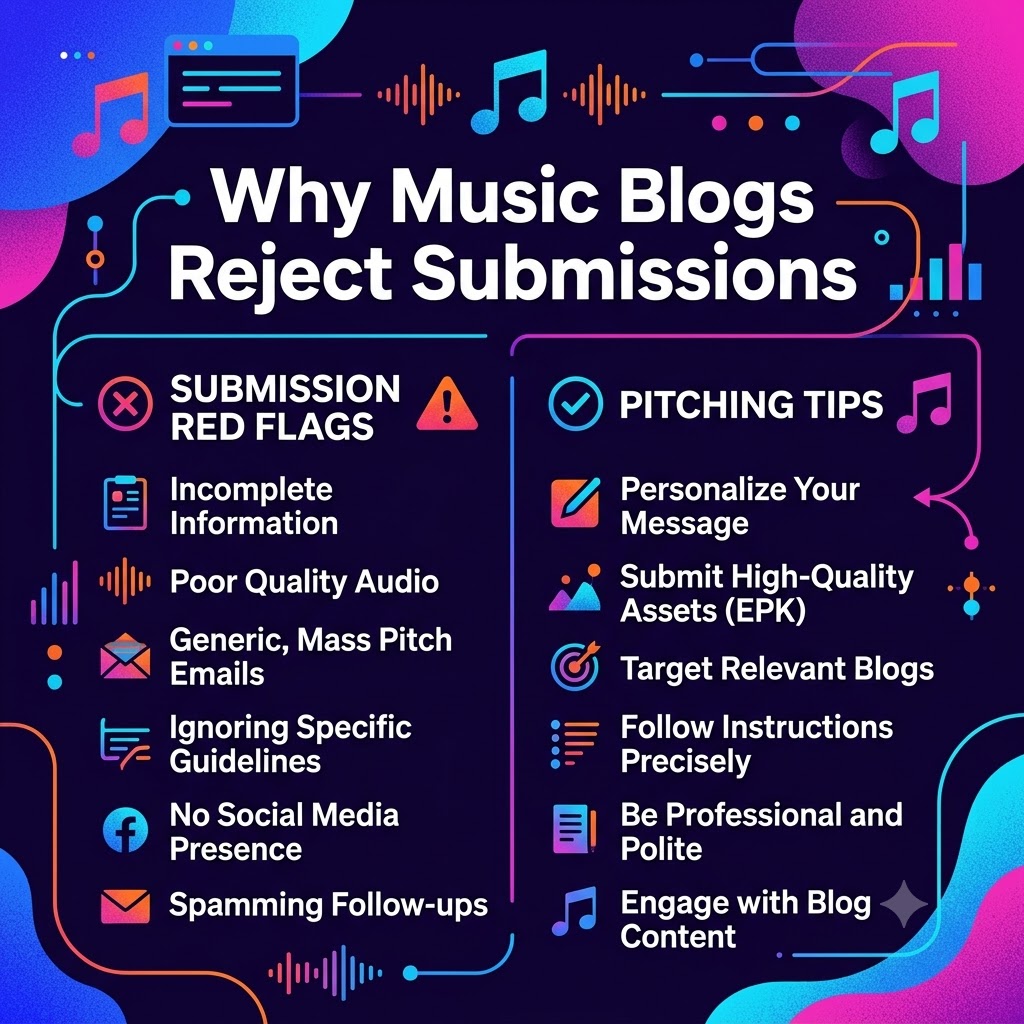
Why Music Blogs Reject Submissions: 5 Pitch Red Flags That Get Your Track Deleted
You just wrapped up weeks in the studio. You tweaked the mix until your ears went numb, picked out cover art that actually looks cool, and finally bounced the master. Naturally, you’re hyped. You open up your inbox, paste a message you wrote, attach the track, hit send to fifty different music sites, and wait for the press coverage to start rolling in.
Then… crickets.
No write-ups, no social shoutouts, not even a quick “thanks, but no thanks.“
If this sounds familiar, don’t sweat it too hard—it happens to almost every independent artist starting out. The reality of music journalism is brutal: blog editors and writers get slammed with hundreds, sometimes thousands, of pitch emails every single week. They don’t have hours to sit back, sip coffee, and wade through every track sent their way. Instead, they use quick dealbreakers to clear out their inboxes fast.
Here’s the cold truth: most pitches get binned long before the writer ever presses “play.” The issue isn’t your music, your flow, or your production—it’s how you sent it.
Understanding why music blogs reject submissions is the quickest way to clean up your PR strategy and stop wasting your time. Let’s break down the top five red flags that trigger instant email deletions, along with the exact fixes you need to get noticed.
Red Flag #1: Dumping 50MB WAV Files Directly into the Inbox
Nothing makes a blog editor sigh and hit the delete button faster than opening an email only to find a massive .wav file attached.
When you attach uncompressed audio, raw high-res photo files, or video clips, you hijack the recipient’s storage space and slow their inbox to a crawl. Keep in mind that plenty of music journalists check their submissions on their phones while commuting or between meetings. If opening your email eats through their mobile data or freezes their app, your track is gone before they even see the cover art.
The Fix:
Keep your email light and frictionless. Never attach heavy media directly to a pitch.
-
Stream First: Use a private SoundCloud link or an unlisted YouTube video. Make sure embedding is enabled so the editor can listen inside their browser or app with one click.
-
Clean Downloads: If they want to download the track for a write-up or radio play, give them a neat Dropbox or Google Drive link containing tagged 320kbps MP3s (complete with artist name, title, artwork, and release date).
Red Flag #2: The Dreaded Mass-CC Email Blast
We get it—pitching takes time, and blasting 200 bloggers at once seems like a smart shortcut. But sending a generic message with a massive list of emails visible in the CC line is a total kiss of death.
It tells the writer one thing instantly: You don’t actually care about their site; you just want free promo from whoever falls for it.
Even worse, blasting email lists through visible CC fields violates basic privacy, exposes everyone’s contact details, and almost guarantees your email address gets flagged as spam by Gmail or Outlook.
The Fix:
-
Quality Over Quantity: Pitch 15 sites that genuinely fit your sound rather than 150 that don’t care about your genre.
-
Name Names: Start with a real greeting. “Hey [Editor’s Name]” goes ten times further than “Dear Music Blogger.”
-
Prove You Listen: Mention a recent article they published or an artist they covered who shares a similar vibe to your project. Showing you know their brand builds instant trust.
Red Flag #3: Links That Are Broken, Locked, or Private
You managed to write a great subject line. The editor got curious and actually opened your pitch. They click your link to stream the track, only to see: “This track is private,” “File does not exist,” or “You need permission to access this folder.”
Game over.
Music writers run on tight schedules. If your link requires a secret password you forgot to include, or if they have to send a “request access” notification to your Google Drive, they will not wait for you to fix it. They won’t email you back asking for permission either—they’ll simply move on to the next submission in line.
The Fix:
-
Check Your Sharing Settings: Make sure private SoundCloud links include the share secret token at the end of the URL. For Google Drive or Dropbox, verify that the link access is set to “Anyone with the link can view.”
-
Run the Incognito Test: Before hitting send, paste your links into an Incognito or Private browser tab. If you can click play and hear the song without logging into any account, you’re good to go.
Red Flag #4: Leaving Out the Basics (No Electronic Press Kit)
A great pitch email shouldn’t just present a song—it should hand the writer a story ready to publish.
Imagine an editor listens to your track and genuinely loves it. They want to put up a post today, but your email has no cover art, no short bio, no press photo, and no release date. Now they have to pause, email you back, and wait for assets. In the fast-paced blogging world, that extra friction often means your feature gets shelved for another project that came fully prepared.
The Essential Pitch Checklist:
-
The Hook: A short 2–3 sentence paragraph telling the story behind the song, major producer credits, or unique angles (e.g., sample history, local buzz).
-
Track Metadata: Clear release dates, single/album title, producer name, and feature credits.
-
Press Pack Link: A single folder containing a high-res cover art file, 1–2 sharp press photos (both horizontal and vertical formats), and lyrics.
-
Active Social Links: Direct URLs to your Spotify, Apple Music, Instagram, and YouTube so they can tag you when the article goes live.
Red Flag #5: Demanding Immediate Feedback or Spamming DMs
Patience isn’t just a virtue in music PR; it’s a requirement. Sending a follow-up email 24 hours after your pitch asking, “Did you check this out yet?” comes off as entitled and pushy.
Even worse is finding an editor’s personal Instagram, Twitter, or personal Facebook account to slide into their DMs demanding coverage. Respecting professional boundaries is key if you want to build long-term relationships in this industry.
The Fix:
-
Give It Space: Wait at least 5 to 7 business days before sending a single, friendly follow-up.
-
Keep It Friendly and Short: A simple “Hey [Name], just following up on this in case it got buried in your inbox! Hope you’re having a great week” is all you need.
-
Know When to Move On: If you don’t hear back after one follow-up, let it go gracefully. Not every track lands on every blog, and that’s okay. Keep building, keep dropping quality music, and focus on the outlets that engage with your work.
Turn Your Submissions Into Real Coverage
Getting featured on music blogs isn’t rocket science, but it does require professional etiquette. By ditching bloated file attachments, taking time to personalize your messages, testing your links, and making the writer’s job completely painless, you automatically place your pitch ahead of the vast majority of artists clogging up their inboxes.
Treat music bloggers like real people rather than distribution channels, and you’ll see your response rates jump dramatically.
If you want to skip the email noise altogether and get your music straight to our team, you can avoid the slush pile entirely by submitting directly to our editorial staff via our music review submission page.