


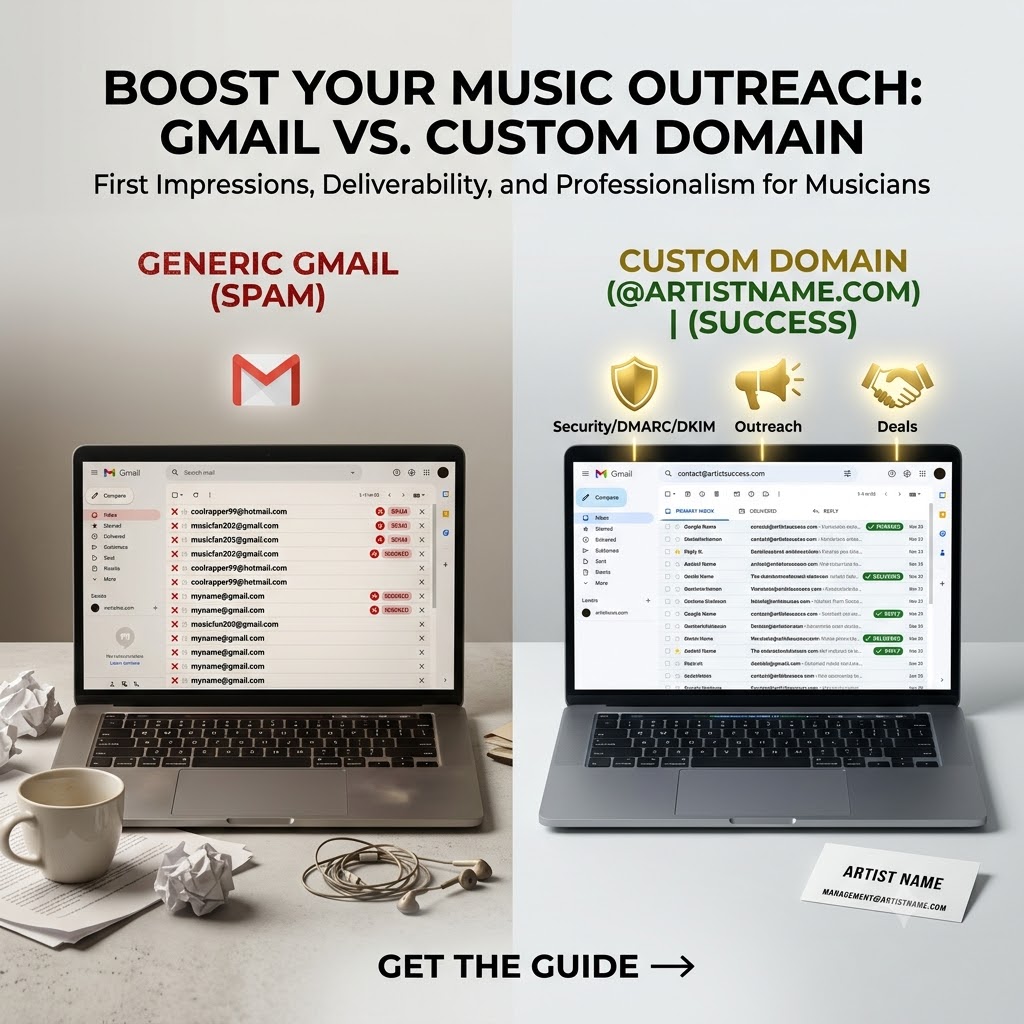
Custom Domain Emails: Why @artistname.com Outperforms Gmail for Industry Outreach
When you are sending your latest tracks over to booking agents, A&R executives, music supervisors, and media editors, your first impression happens long before they ever hit play on your audio link. That very first touchpoint is your sender address sitting right there in their inbox preview.
If that email is coming from yourname@gmail.com or coolrapper99@hotmail.com, you are immediately fighting an uphill battle. It sends a quiet, subconscious signal that you might just be a hobbyist, a fly-by-night account, or someone who hasn’t fully committed to the business side of their career.
Setting up a professional custom domain email address—something like contact@artistname.com hosted through Google Workspace—isn’t just about looking slick or buying into corporate aesthetics. It is a fundamental shift in how gatekeepers perceive your professionalism, and it plays a massive role in your technical deliverability.
The Psychology of Trust in the Music Industry
Music industry gatekeepers are drowning in audio. A&R reps, music blog editors, and talent buyers receive hundreds, sometimes thousands, of emails every single week. Their inboxes are an absolute war zone of promotional links, automated pitches, press releases, and cold DMs turned into emails.
To cope with this overwhelming volume, industry professionals develop lightning-fast filtering habits. They use quick mental shortcuts to decide what gets opened, read, and considered, versus what gets permanently deleted or flagged as spam.
-
The Problem with Free Webmail: Anyone on the planet can spin up a free Gmail, Yahoo, or Outlook account in less than sixty seconds under any pseudonym they want. It requires zero investment, zero verification, and zero accountability. When an editor sees a generic webmail address pitching music, their brain automatically categorizes it alongside spam, unsolicited junk, and low-effort mass blasts.
-
The Power of a Custom Domain: On the flip side, an email address anchored to your own branded web domain (
@yourname.com,@yourband.com, or@yourartistname.com) completely changes the dynamic. It communicates instantly that you treat your music career like a legitimate business. It shows that you’ve invested time, thought, and capital into building a real brand infrastructure.
When a busy music supervisor or media editor sees a custom domain pop up in their notification feed, a baseline level of trust and curiosity is established before they even click to open the message.
Deliverability and Inbox Placement: Why Tech Matters
Beyond the psychological boost, there is a hard technical reality to consider: free webmail accounts are heavily throttled and scrutinized by modern email security protocols.
When you send outbound emails to industry contacts—especially emails containing external links to Spotify, SoundCloud, YouTube, or Electronic Press Kits (EPKs)—email providers like Gmail, Outlook, and Apple Mail run them through strict automated filters.
-
Dodging the Spam Folder: If you are sending dozens or hundreds of outreach emails from a standard, free Gmail address containing external promotional links, automated spam filters are far more likely to flag your account for suspicious outbound behavior. Your carefully crafted pitch ends up trapped in the promotions tab or buried deep in the spam folder where nobody looks.
-
Building Sender Reputation: When you set up a custom domain with Google Workspace, you get full control over your domain’s technical authentication protocols—specifically SPF, DKIM, and DMARC records. These are industry-standard digital signatures that verify to receiving servers that you are actually the owner of the domain sending the mail. Over time, as recipients open your emails, reply to your messages, and interact with your threads, your domain builds a pristine sender reputation. This ensures that your release updates, pitch follow-ups, and tour announcements land squarely in the primary inbox where they belong.
Centralizing and Scaling Your Music Operations
Operating on Google Workspace means you aren’t just buying a fancy email suffix; you are unlocking an entire ecosystem designed to keep your independent music career organized and scalable.
When you manage your outreach through a custom domain, you can easily set up role-based email aliases that make you look like an entire management team, even if you are currently running things entirely independently:
-
management@artistname.comfor business inquiries, distribution questions, and contract discussions. -
booking@artistname.comspecifically for talent buyers, venue owners, and festival promoters. -
press@artistname.comdedicated to music bloggers, playlist curators, review sites, and interview requests.
All of these separate addresses can route seamlessly into a single, clean Gmail inbox interface on your phone and desktop. Furthermore, when you share Google Drive folders containing high-resolution press photos, unreleased WAV files, lyric sheets, or full EPKs, those shared assets tie directly back to your official domain name instead of a personal, random Google account.
Professionalizing your infrastructure is a huge step in building pre-release excitement and outreach credibility, especially when paired with targeted rap promotion strategies (https://itshiphopmusic.com/submit/artist-submission/).
How to Set Up Your Custom Domain Email in 4 Straightforward Steps
Transitioning away from a personal email address to a fully branded professional inbox doesn’t require a degree in computer science. You can get everything up and running in an afternoon by following a few clear steps:
-
Secure Your Domain Name: If you haven’t already, purchase your artist domain through a registrar like Namecheap, Squarespace (formerly Google Domains), or GoDaddy. Try to lock down
artistname.comorartistnamemusic.com. -
Sign Up for Google Workspace: Choose a business starter tier that supports custom domain integration. This gives you full access to Gmail, Google Drive, Calendar, and Meet under your new branded email address.
-
Configure Your DNS Records: Follow the step-by-step prompts inside Google Workspace to update your domain registrar’s DNS settings. You’ll add MX records to route your mail through Google’s servers, along with SPF and DKIM records to ensure high deliverability and security.
-
Design a Clean Email Signature: Keep it minimal and professional. Include your artist logo or a clean press photo, links to your primary social media profiles, your official website, and a direct contact phone number. Avoid heavy attachments; instead, link out cleanly to your streaming profiles or EPK.













 increases open and reply rates from booking agents, A&Rs, and music editors.)