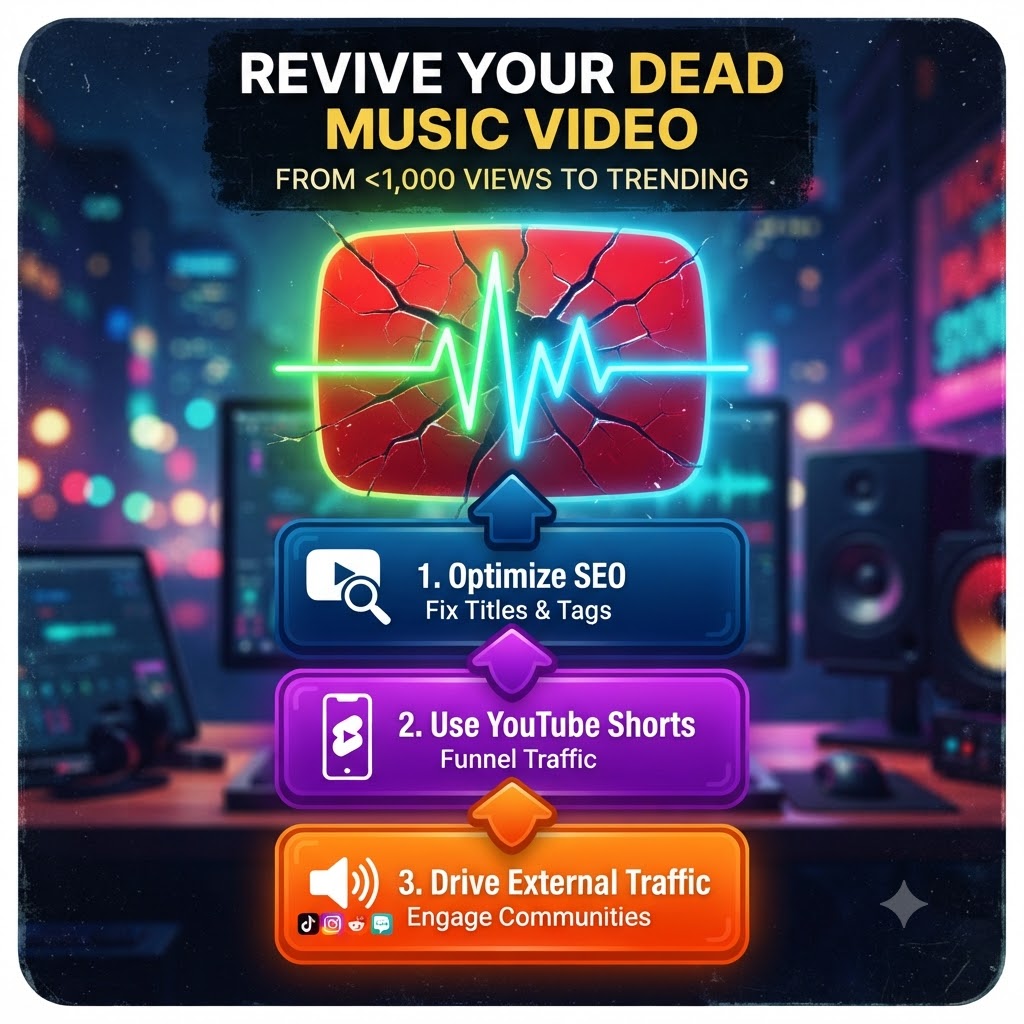
How to Revive a Dead YouTube Music Video with Less Than 1,000 Views
You spent weeks planning the shoot, dealing with budget stress, coordinating schedules, waiting on edits, and finally hitting that green upload button. For the first few days, you shared it everywhere: Instagram stories, group chats, Twitter, and maybe even a quick text to your mom. The view count trickled past 100, then 300, and maybe scratched 500 before completely flatlining.
Now, it’s sitting there at 742 views, gathering digital dust. The comment section is a quiet ghost town, and the YouTube algorithm has officially put your visual into early retirement.
If this sounds familiar, take a deep breath: you are not alone, and your music video is not actually dead.
Most independent artists think a stagnant video is a lost cause, but the reality of the YouTube ecosystem is much more forgiving. Unlike platforms where content dies within 24 hours, YouTube acts more like a search engine. A video uploaded six months ago can suddenly catch a second wind if you know how to signal the algorithm and fix what went wrong.
If you want to figure out how to promote old music video on youtube and turn a dead link into a steady discovery machine, grab a notebook. We’re going to walk through a real, practical, no-fluff playbook to resurrect your old visual drops.
The Hard Truth About Why Your Video Flatlined
Before we start flipping switches, we have to look at why it stopped moving. YouTube’s algorithm isn’t personal; it doesn’t hate your song. It simply follows viewer behavior. When you first dropped the video, it likely tested your upload on a small batch of people. Based on their reaction, the algorithm made a cold, calculated decision to stop pushing it.
Usually, a video stalls under 1,000 views due to one of three main culprits:
-
Low Click-Through Rate (CTR): People saw your thumbnail and title while scrolling, but nothing compelled them to actually click.
-
Abysmal Audience Retention: People clicked, but the intro was too slow, the mix was muddy at first, or the visual didn’t hook them within the first 15 seconds, causing them to bounce immediately.
-
Confused Metadata: The algorithm had no idea who to show the video to because the title, tags, and description were too vague or improperly optimized for search.
Once you diagnose the leak, you can patch it up and breathe new life back into the project. Here is how you do it step by step.
Step 1: Redesign Your Packaging (Thumbnails & Titles)
If your video has been sitting at a low view count, your first move shouldn’t be spending money on ads. It should be changing your packaging. Think of your thumbnail and title as the storefront window. If the window looks dated or confusing, nobody is walking inside.
Fix Your Thumbnail
Be honest with yourself: is your current thumbnail just a dark, blurry screenshot of you standing in front of a brick wall? Does it have a tiny, unreadable font displaying your artist name?
-
Focus on Emotion and Contrast: Use a high-resolution, expressive close-up face shot or a striking, cinematic moment from the video.
-
Keep Text Minimal: If you use text, make it 3 words maximum, large, and high-contrast.
-
Spy on Competitors: Look at successful artists in your niche. What do their thumbnails look like? Notice the color grading, framing, and clean layouts, then apply those lessons to your own style.
Overhaul Your Title
If your title is formatted like Artist Name – Song Title (Official Music Video) and you don’t have major-label recognition, you are fighting an uphill battle. People searching for your name won’t find it yet because they don’t know who you are.
Instead, pivot toward searchable angles or add context that hooks curiosity. For example, if your song has a heavy melodic trap vibe about late-night drives, structure your title to capture that mood or genre so people browsing related content stumble upon it naturally.
Step 2: Exploit the Power of YouTube Shorts
If you aren’t using YouTube Shorts to promote your long-form catalog in 2026, you are leaving thousands of free views on the table. Shorts are essentially a cheat code for organic discovery because the platform actively pushes short-form content to new, cold audiences who have never heard of you.
Don’t just upload random clips. Take a strategic approach to your old music video:
-
Find the “Golden Hook”: Go through your video and isolate the absolute best 15 to 30 seconds—the beat drop, the most cinematic transition, or the catchiest bar of the chorus.
-
Edit for Vertical: Crop the video into a 9:16 vertical format, add clean auto-captions (crucial since many people watch videos on mute), and build immediate tension in the first two seconds.
-
Use the “Related Video” Feature: This is the magic button. When uploading your Short through YouTube Studio, you can link your full-length music video directly to it. When viewers swipe through, love your snippet, and want to hear the full track, they can click the direct link embedded right above your caption.
A single viral Short can pull hundreds or thousands of fresh listeners straight back to your stagnant main upload, signaling to the algorithm that people are suddenly interested in the video again.
Step 3: Rewrite Your SEO Metadata and Description
YouTube is the second largest search engine in the world. Treating your video description like an afterthought is a massive mistake. When you want to rank in search results or get suggested alongside similar artists, your metadata needs to be tight, descriptive, and keyword-rich.
Go into YouTube Studio and rewrite your description. Instead of just dropping your social media links, write a short 3-to-4 sentence narrative about the track: what inspired it, the vibe it carries, and what makes the visual special. Naturally weave in keywords related to your genre, your style, and the mood of the song.
Sometimes, boosting an older release requires a professional push to get the momentum rolling again. In fact, re-igniting traffic on older visual drops is easy when running a push through our urban video promotion services. Combining algorithmic tweaks with targeted industry placement is often the exact spark needed to break out of the 1,000-view plateau.
Step 4: Drive High-Intent External Traffic
The YouTube algorithm loves external traffic, but only if that traffic actually engages with the video. Dumping a link into dead spam groups or spamming random comment sections won’t help; it will hurt your retention rate when people click and bounce after five seconds.
Instead, focus on high-intent communities:
-
Subreddits & Discord Servers: Find active communities dedicated specifically to your genre. Share the video not as a promotion, but by starting a conversation—ask for feedback on the mix, the visual effects, or the direction.
-
TikTok and Instagram Reels: Just like YouTube Shorts, cut different angles of your video and post them natively on other platforms. Always drop a clear call-to-action in the caption telling people to search your name on YouTube for the full cinematic experience.
-
Independent Music Blogs: Reach out to niche curators and digital zines that cover underground or independent talent. A single write-up embedded with your YouTube video sends powerful, high-authority traffic back to your channel.
Step 5: Engage with Every Single Comment
If your video has 40 comments, treat those 40 people like gold. When you revive an older video, engagement acts like oxygen for the algorithm.
If someone drops a comment—even if it’s just an emoji—reply with a thoughtful answer, ask them a question back, or pin a comment that sparks a discussion. When YouTube sees an active comment thread forming on a previously dead video, it registers that the content is alive and worth testing out on new home pages again.
🚀 Ready to Re-Activate Your Catalog?
Don’t let your best visual assets sit in the dark collecting digital dust. Re-activate older video drops. Submit your link on our official Music Video Submission Page. Let’s get your music back in front of the active audience it was built for.